RF SAFE • Sliders
This page is fully driven by /class/sliders/sliders.json. Use admin to edit.
QuantaCase Usage Guide
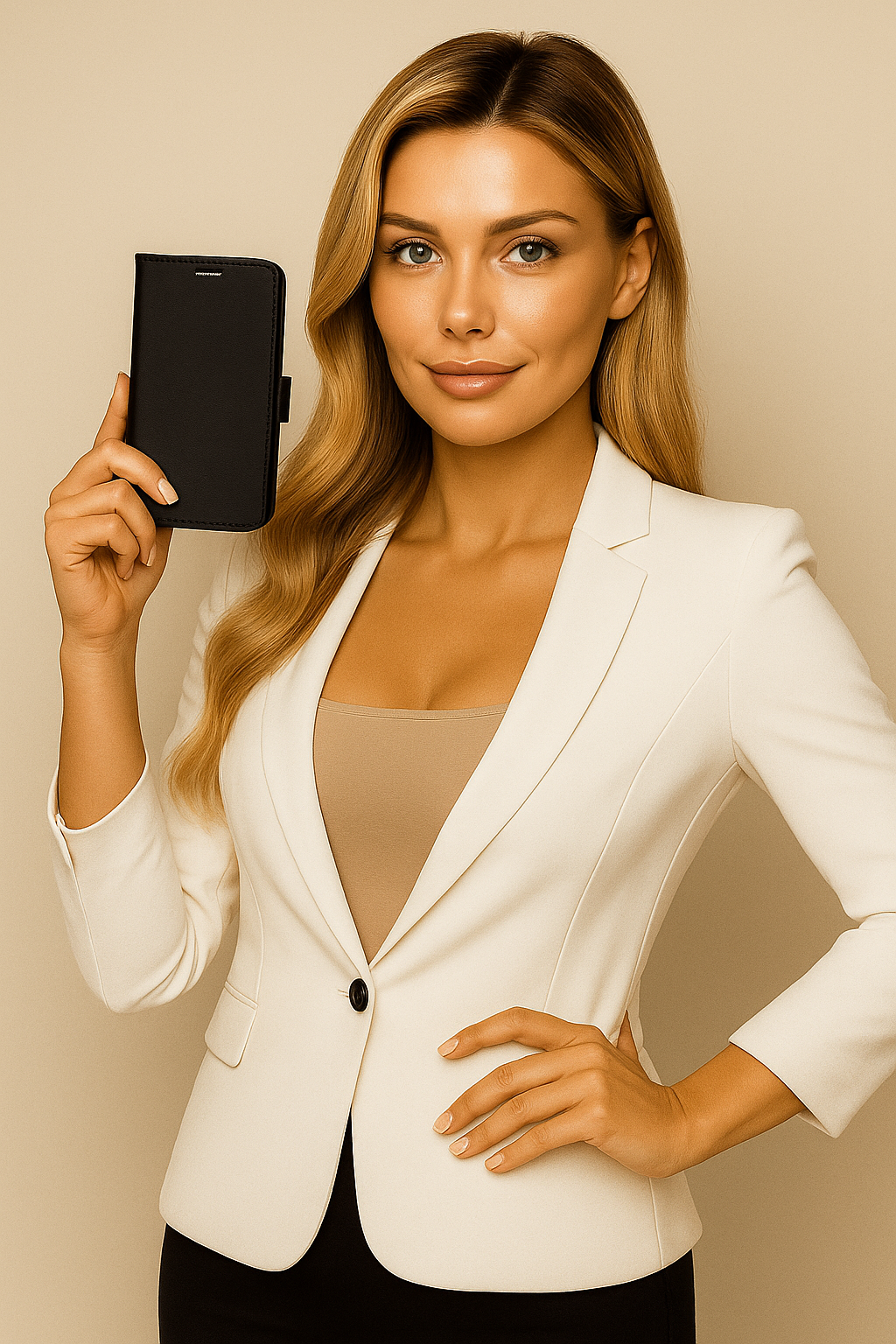
QuantaCase Usage Guide
QuantaCase Usage Guide
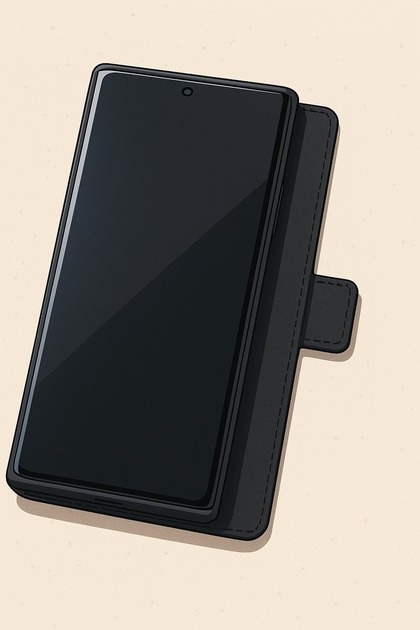
📴 Speakerphone Use
👉In this image, the QuantaCase’s front cover is flipped behind the phone, creating a small lip. This feature allows you to hold the phone without needing to grasp it in your palm, reducing the amount of radiation absorbed by your hand. Keep it away from the body when speaking hands-free.
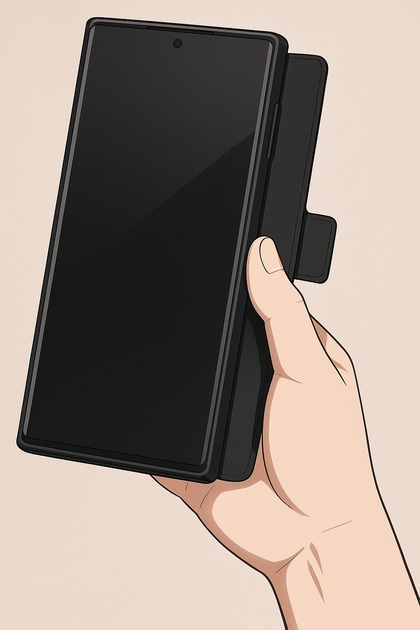
🤌 Speakerphone Hold
👉This image shows how to hold the phone comfortably with the QuantaCase on speakerphone mode. Notice how your thumb rests on the extended lip, providing a stable grip without wrapping your fingers around the phone’s sides. Speakerphone comfort, still clear audio, safe distance.
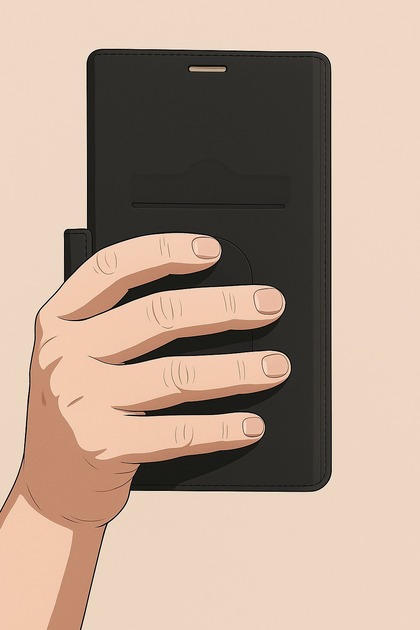
🧾 Speakerphone Hold
👉From behind, you can see how your fingers comfortably support the phone behind the microwave-shielded flap. This technique ensures a secure hold while minimizing direct contact with the phone’s sides, reducing radiation exposure. Maximum safety zone: keep exposure low with distance.

📢 Hold to Ear
👉This image demonstrates holding the QuantaCase to your ear for a private call. If circumstances require placing the phone directly against your head, always ensure the front shielding cover is closed over the front of the phone, positioning it between your head and the device. Additionally, before placing the phone to your ear, turn off all unnecessary transmitters such as Bluetooth and Wi-Fi to further minimize radiation exposure. Using your phone this way should be a last resort—whenever possible, use a headset or speakerphone for optimal safety.
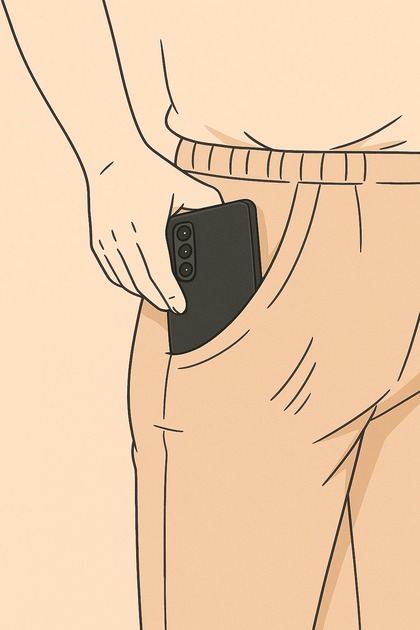
👉 Pocket Carry
👉In this image, the QuantaCase is illustrated as being placed into a pocket, highlighting the correct orientation in an unavoidable situation. QuantaCase does not recommend regularly carrying your phone in your pocket. However, if no other option exists, always ensure the front shielded cover is closed over the screen, positioned between your body and the phone, with the camera lenses facing outward. Before placing the phone in your pocket, disable all unnecessary transmitters, such as Bluetooth and Wi-Fi. As soon as you reach your transportation or destination, immediately return to using the Distance-First Protocol, keeping the phone at a safe distance to reduce radiation exposure. Avoid carrying active devices in your pocket if you are in transit, ensuring that you remain safe and comfortable at all times.
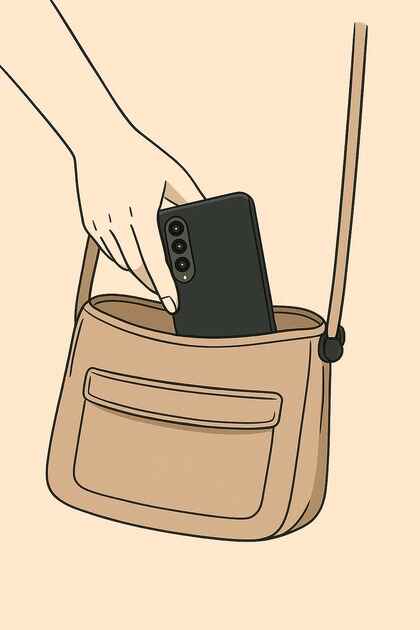
👜 In the Bag
👉For maximum safety, place the QuantaCase inside a bag or purse with the front shielded cover facing toward you. This ensures the shielding layer remains between you and the phone, reducing radiation exposure. For men, using a briefcase or any bag is preferred over carrying the phone in your pocket. Always disable unnecessary transmitters, such as Bluetooth and Wi-Fi, before stowing the phone away.
.png)
In-Car: On Dash Not Seat or Vent
👉Use a dashboard phone holder that props a smartphone with its rear facing the windshield. By directing the phone’s main RF-emitting surface outward, the mount is intended to reduce radio-frequency (RF) reflections back into the cabin—especially useful when phones transmit at higher power (weak signal or heavy data use). The design recognizes that metal-lined, enclosed spaces (cars, buses, RVs) can act like reflective cavities, concentrating RF energy in the passenger area (a Faraday-cage effect). Actual exposure reduction will vary with phone model, transmit power, signal strength, and vehicle materials, but orienting the phone away from occupants can help minimize reflected microwave exposure inside the vehicle. dashboard phone holder
.jpg)
👉QuantaCase™ — Physics‑First EMF Case
👉What it is: QuantaCase™ is an ultra‑thin, antenna‑aware folio that uses directional shielding between you and the phone. It is free of metal loops, magnets, and steel plates and features a shielded speaker opening for the 5G era—engineering choices that avoid antenna detuning and the transmit‑power increases that can come with it.
Why it matters: Gimmicky “anti‑radiation” designs can obstruct radios and push phones to work harder. QuantaCase™ follows the physics: keep radios efficient, place the shield on the user side, and stay thin near antenna zones. Many models also include RFID‑blocking storage for cards.
How to use: For calls, flip the cover toward your head. For carry, place the shielded cover toward your body. Turn off radios you don’t need (Wi‑Fi/Bluetooth/Hotspot) to cut duty cycle in everyday use.
Learn more about QuantaCase™
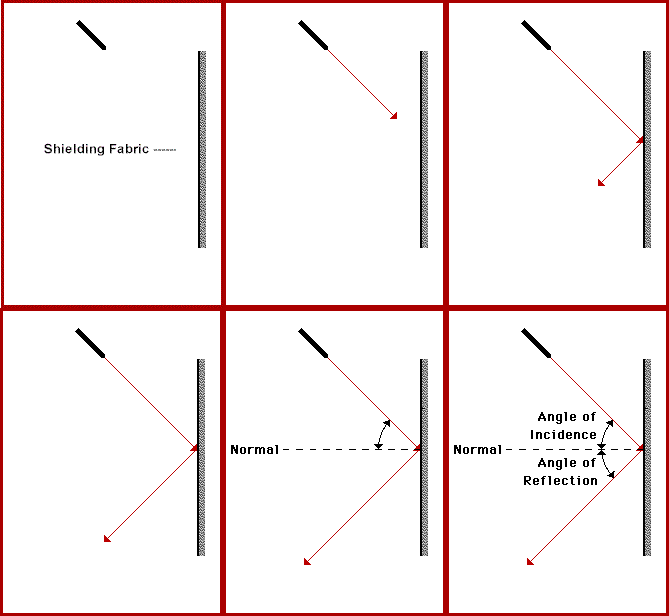
How RF Shielding Fabric Works
The “99%” shielding fabric works because it behaves like a very thin metal surface. When RF hits it, free electrons in the metalized threads are pushed into tiny currents that create an opposing field. That cancels the field on the protected side and reflects most of the energy away, so far less penetrates toward your body. The “fabric” is not magic cloth; it’s a 2D conductive sheet built by weaving polyester with micro-fine metalized filaments (often silver, copper, stainless steel, or alloys). Electrically, that weave behaves very much like a continuous conductor at RF wavelengths, because: The spacing between conductive threads is much smaller than the wavelength of the radiation. To the incident wave, it looks like a quasi-continuous conductive surface with some finite sheet resistance. So from Maxwell’s point of view, you’re looking at a thin conductor, not a porous textile.
Policy Red Flags — what to watch for
Red Flags When Shopping For Phone Cases
What to look for to ensure a genuine anti-radiation phone case
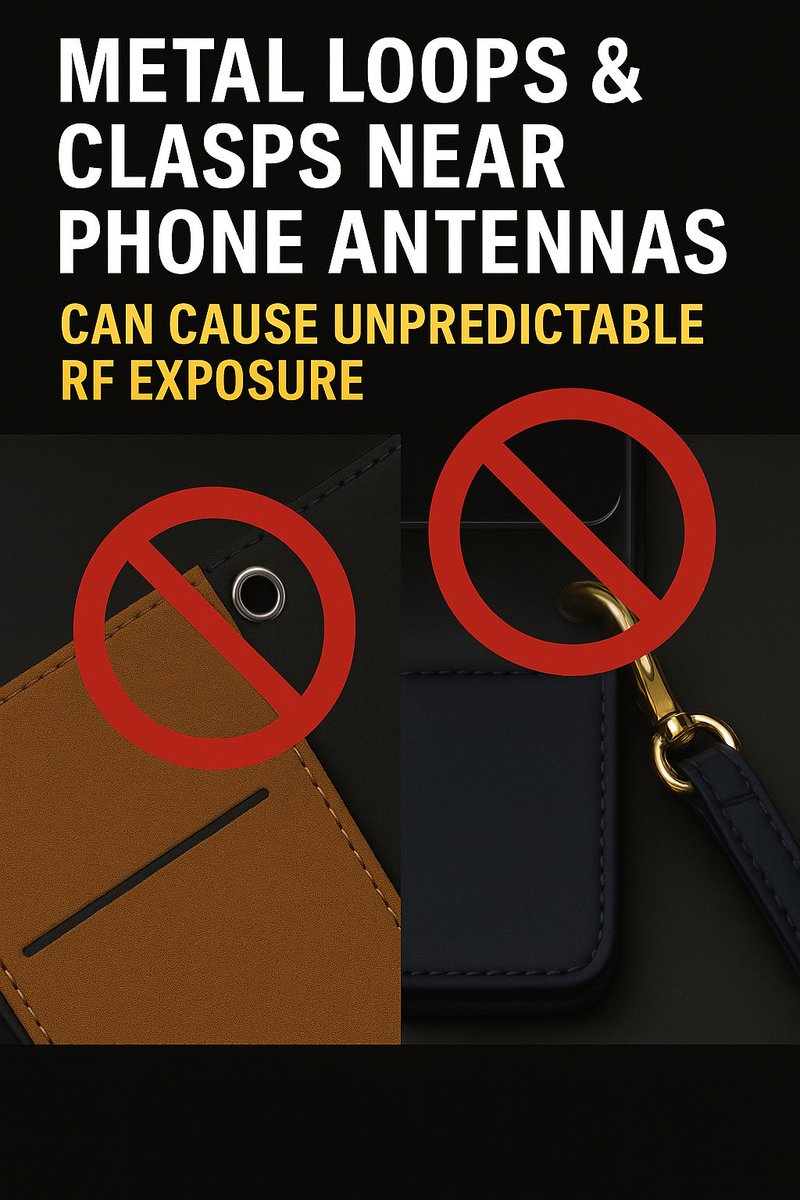
📴 Metal Loops
👉
Small metal loops, grommets, and strap clasps placed near a phone’s radiating edge act as
parasitic conductors. In the reactive near‑field they add stray
capacitance and inductance, which detunes the antenna
from its intended 50‑Ω match. Detuning raises VSWR and lowers
radiation efficiency: part of the power is reflected and part is stored around the metal
instead of being cleanly radiated. The hardware also supports induced currents and can
re‑radiate, warping the pattern and creating local E‑field hot spots
near the head. Because coupling changes with millimeters of position, angle, and band, the near‑field becomes
variable and hard to predict.
When efficiency or match degrade, link quality drops and the phone’s
power control raises uplink transmit power to hold the connection.
The result is a double hit: higher output plus a distorted near‑field right where the accessory sits.
Best practice: avoid metal rings, loops, clasps, magnets, and plates in antenna zones;
keep materials thin and non‑conductive around the radios; and place any shielding only
between you and the phone, not over or next to the antennas. https://rumble.com/v70msx2-the-silent-signal-health-risks-of-emf-exposure-and-protective-measures.html

🤌 Speaker Hole
Only QuantaCase shows true ear‑side continuity. The earpiece opening is covered by a visible, conductive mesh that bonds to the front‑cover shield. With the cover closed, the entire area between the user and the phone acts as one continuous shield while still passing sound.
Most competing folio cases leave a bare slot. That gap behaves like a small slot antenna/waveguide, especially at today’s mmWave and satellite bands, allowing fields to bypass the cover and diffract toward the head. Because the head is in the near‑field during calls, even a few millimeters of opening can leak disproportionate energy and break the shield’s current path. Effective reduction requires full‑surface shielding continuity at the ear—no unshielded holes—using thin, acoustically transparent conductive mesh.
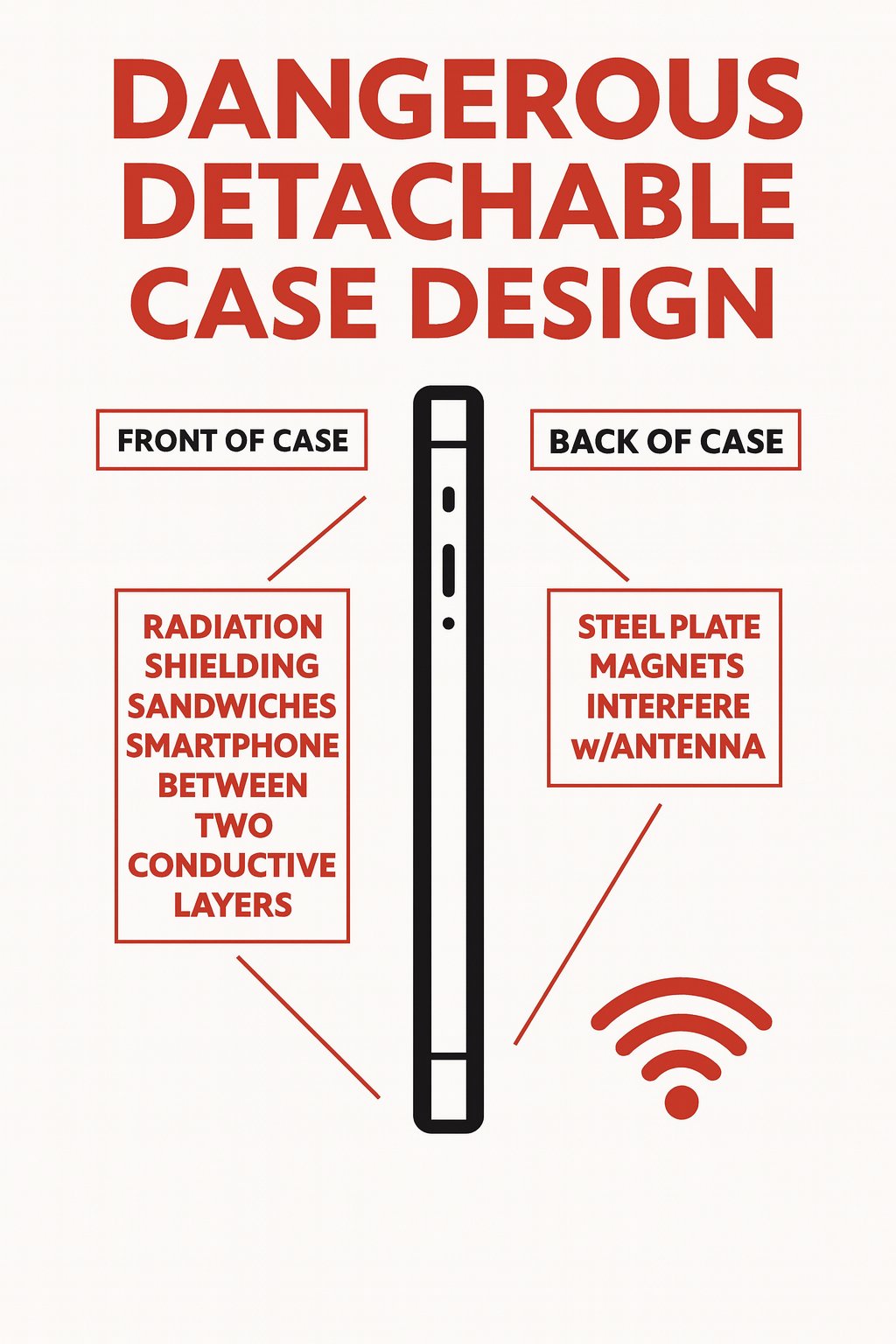
🧾 Detachable Anti-radiation Shields
👉
Why detachable “anti‑radiation” cases backfire
Many detachable folio designs—often with a front “shield” and a rear steel/magnet plate—sandwich the phone between two conductive layers.
This alters the antenna’s boundary conditions, shifting resonance and degrading the impedance match
(poorer return loss / higher VSWR). The result is lower
radiation efficiency and pattern distortion right next to the user.
When efficiency and link quality drop, the phone’s power‑control system increases
uplink transmit power to maintain the connection—exactly the opposite of the goal of an
“anti‑radiation” case. The engineering fix is simple: use single‑sided, directional shielding between you and the phone,
keep the back of the device free of magnets, steel plates, or other conductive hardware, and stay thin and antenna‑aware.
That preserves efficiency so the device can meet network targets at lower power with more predictable fields.
https://www.rfsafe.com/class/detachable/
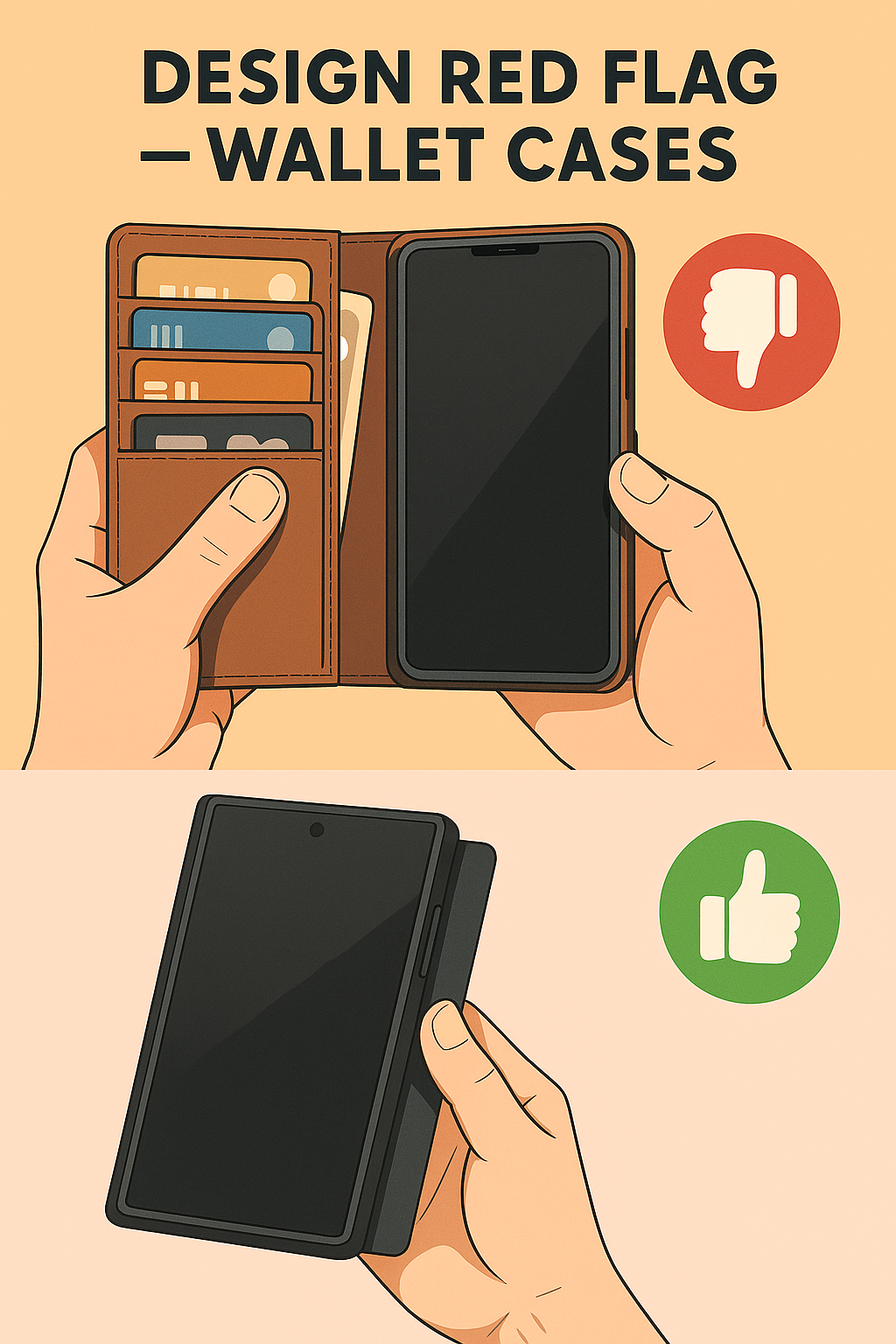
Design Red Flag — Wallet-Style Cases
👉
⚑
Design Red Flag — Wallet-Style Cases
For a shielding flip case to work, the cover has to flip all the way around behind the phone
so the shield sits between the phone and your head or body. As soon as the cover is turned into a
wallet—stuffed with cards, cash, and receipts—you’ve created a flap that is heavy, stiff, and awkward
to flip on every call or text. In real life people stop doing it. They talk with the cover hanging open,
or they leave it closed like a mirror in front of the screen, which means the shield is almost never
in the right place when the phone is transmitting.
Those extra wallet layers are not just inconvenient; they are also thick, lossy material right in
the antenna zone. Add card chips, metal strips, or magnetic closures and you further detune the
antennas, pushing the phone to use higher transmit power to hold the link. A physics-first
design keeps the front cover ultra-thin and single-purpose: no bulky wallet features, no
magnets or plates—just a light, easy-to-flip shield that makes the correct “flip-to-shield” habit
natural instead of a chore.
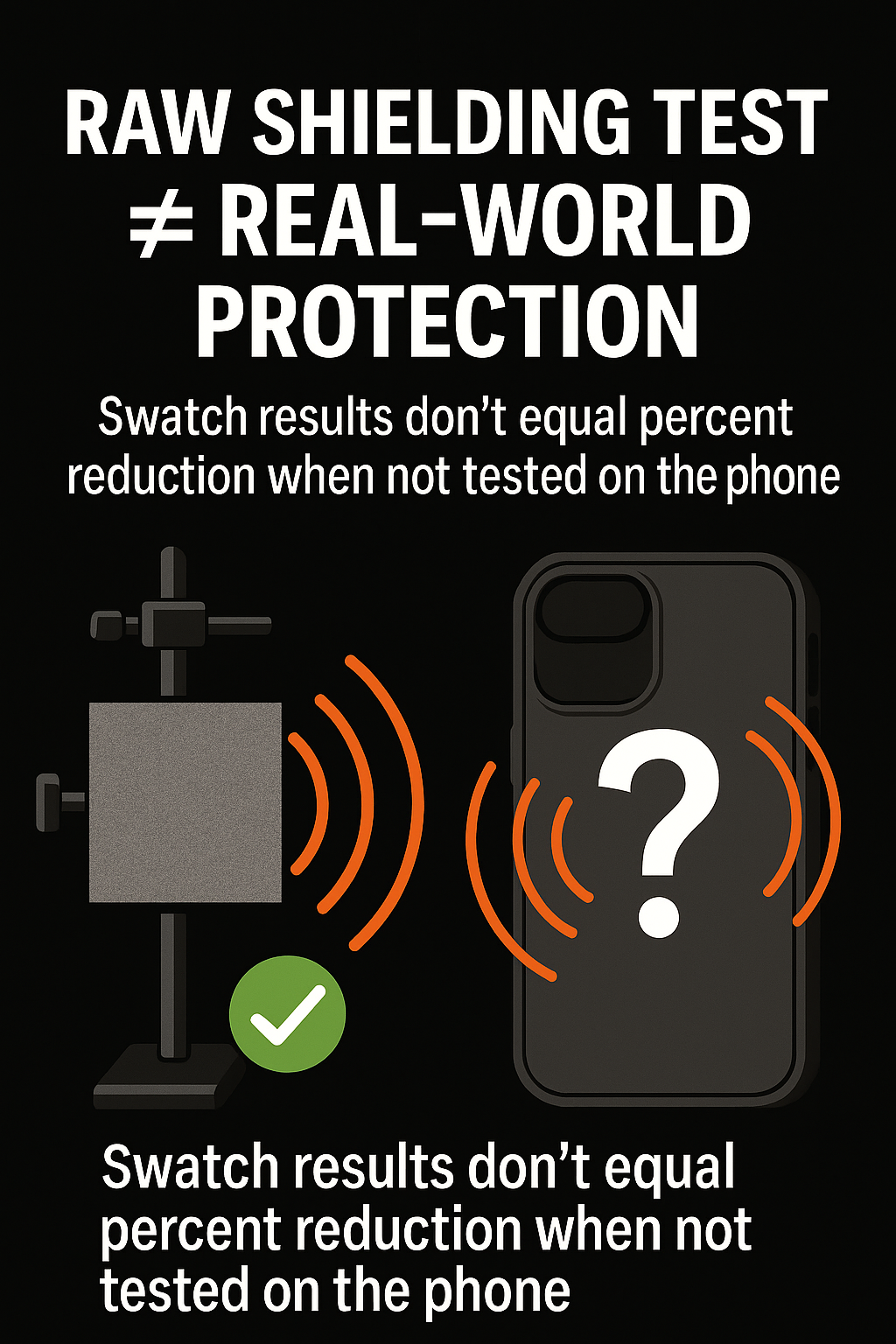
📢 “99% Blocking” Claims are BS
👉
Why “99% blocking” swatch tests don’t equal protection
Many ads cite “FCC‑certified testing” of a small fabric or foil coupon.
An FCC‑accredited lab can measure how a flat sample attenuates a test signal in free space,
but that data does not represent a phone in use. Real phones use multiple antennas and bands,
operate in the near‑field of the head/body, and continuously adjust transmit power to maintain the link.
A material that blocks well on a bench can detune antennas or increase path loss in the case,
prompting the phone to transmit harder and creating irregular, posture‑dependent fields.
A swatch percentage is therefore not a dose‑reduction number.
What matters is in‑device performance: tests with the finished case on the actual phone,
in calling and data modes, with realistic postures (cover closed toward the head/body) and across the phone’s bands.
Useful system checks include total radiated power (how much the phone emits),
SAR, and near‑field mapping, plus observation of power‑control behavior.
TruthCase focuses on shield placement, antenna‑aware thin design,
and reduced duty cycle—because real‑world reduction comes from physics‑correct orientation and efficient radios,
not from a fabric swatch tested in isolation.
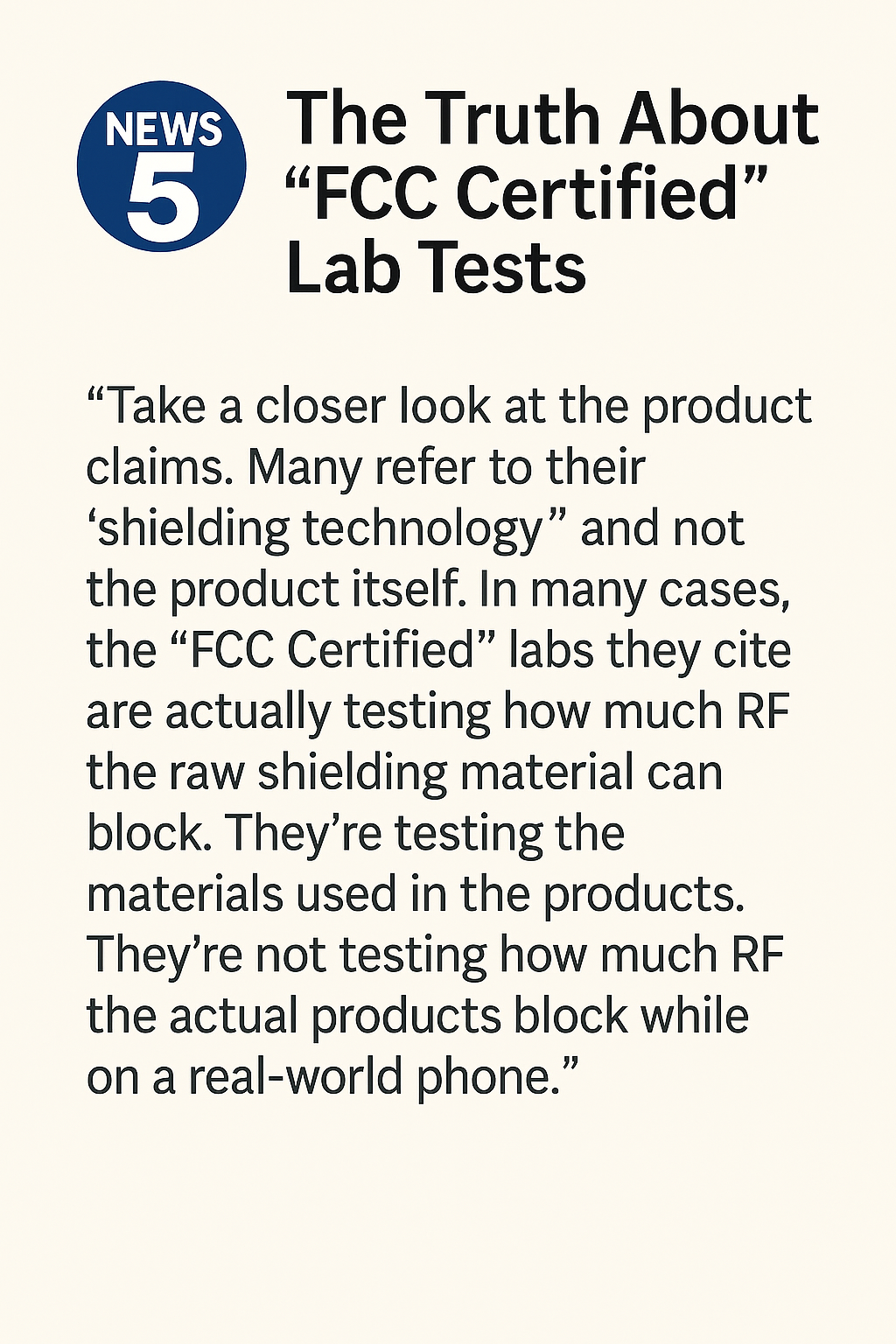
👉 KPIX 5 on “FCC-certified” lab tests
👉
KPIX 5 on “FCC-certified” lab tests:
local news investigators found that some case makers cite
FCC-accredited labs that only measure how much RF a
raw shielding swatch blocks – not how much RF the
finished case on a real phone actually reduces.
https://www.youtube.com/watch?v=iA7yP8V0SCQ
That kind of coupon test can produce big “99% blocking” numbers in ads,
but it tells you nothing about antenna detuning, power-control
behavior, or near-field exposure next to your head. Real protection
has to be proven in-device, with the phone and case tested together in
realistic use.

👉Policy Red Flag — Section 704 (1996 Telecom Act)
⚑
Policy Red Flag — Section 704 (1996 Telecom Act)
Section 704 says that if a wireless facility meets FCC RF limits, local governments
“may not regulate … on the basis of the environmental effects of radiofrequency
emissions.” In practice this works like a federal gag rule: city councils and
school boards are blocked from citing health evidence when they review tower sites
or small-cell permits. Critics argue that this undermines the spirit of the
First Amendment (truthful risk information on the public record) and the
Tenth Amendment tradition that protection of health and safety belongs first
to states and communities.
At the same time, allowing antennas almost anywhere on outdated 1996 “thermal-only”
limits raises a Fifth Amendment concern: RF fields are imposed on homes,
schools, and small businesses with no real way to refuse or be compensated. The
revenue from wireless service is privatized, while the long-term costs—exposure,
property-value loss, and any health or ecological impacts—are pushed onto families
and neighborhoods. That is why Section 704 is a major policy red flag for
anyone serious about RF safety.
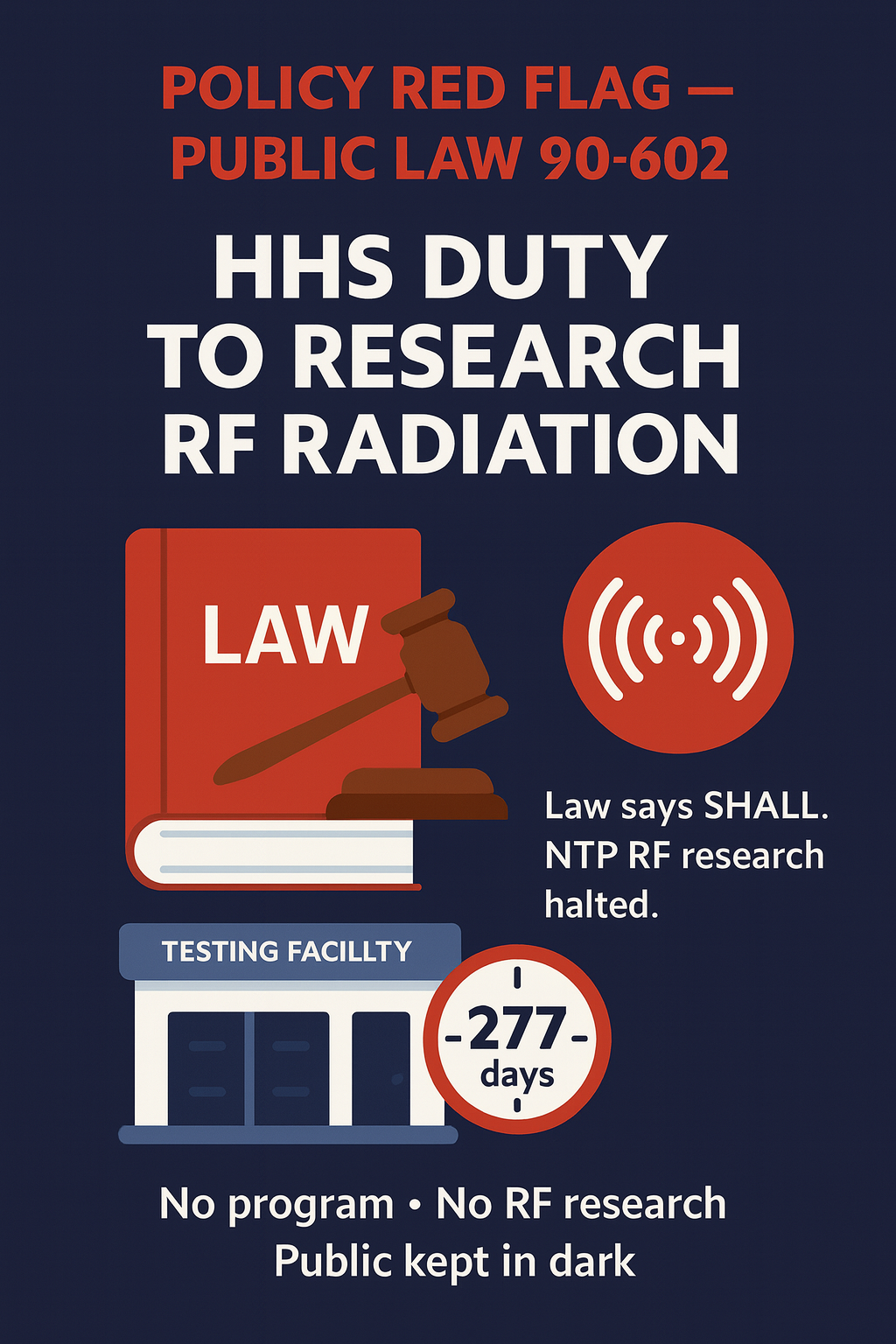
👉Policy Red Flag — Public Law 90-602 (Radiation Control Act)
👉
⚑
Policy Red Flag — Public Law 90-602 (Radiation Control Act)
Public Law 90-602 is not a suggestion. It says the HHS Secretary shall establish and carry out
an electronic-product radiation control program, and shall plan, conduct, coordinate, and
support research to minimize emissions and exposure, then keep the public informed. That duty covers
non-ionizing RF from wireless devices and infrastructure just as clearly as X-ray machines or lasers.
With the National Toxicology Program’s RF studies halted, there is no active federal RF bioeffects program
that meets the statute’s “shall” language. Each day without a restart is another day of
non-compliance and another day families, schools, and workers go without the independent
research and public reporting the law requires. If you care about honest risk assessment and future-proof
safety standards, HHS’s failure to enforce PL 90-602 is a serious policy red flag.
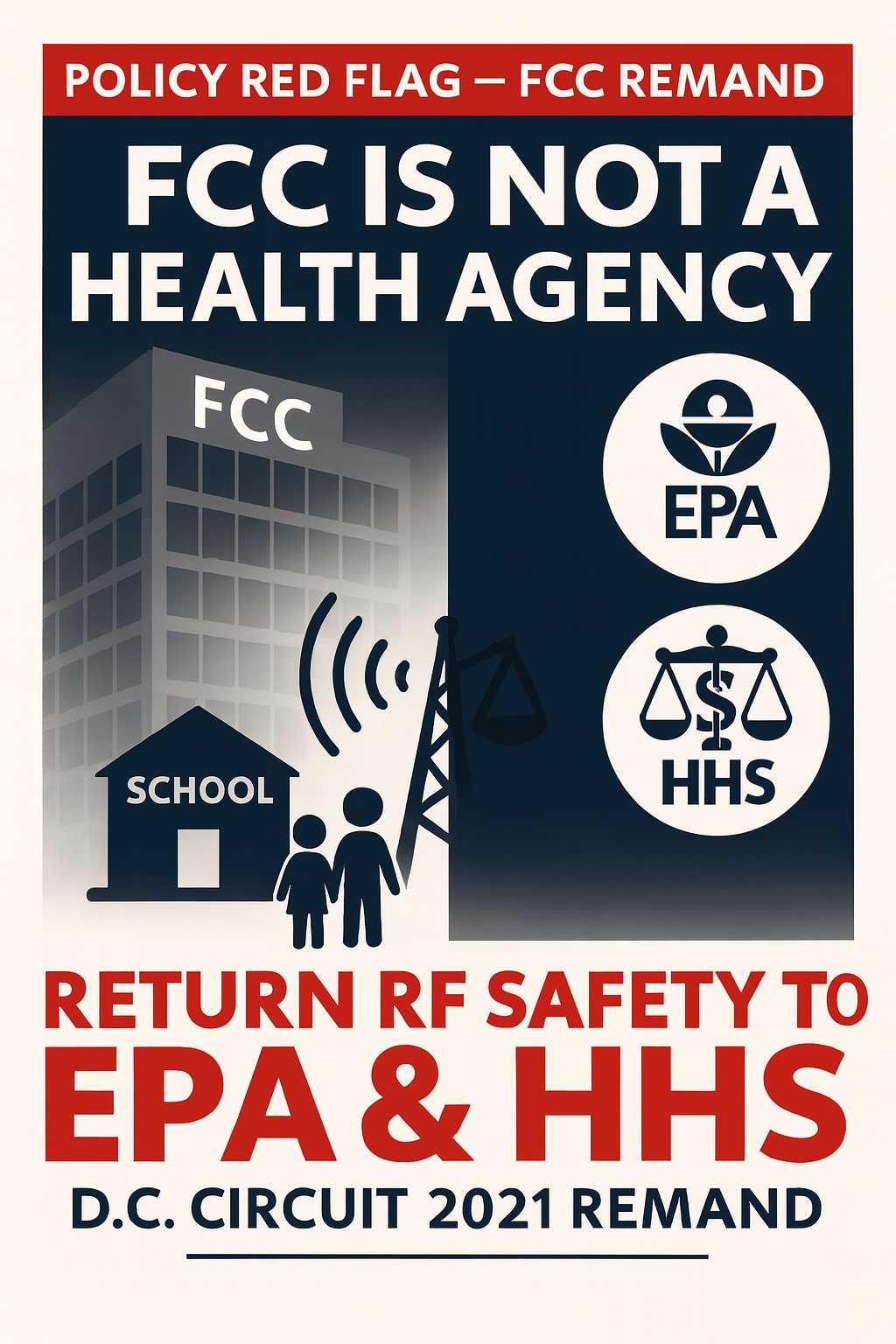
👉Policy Red Flag — FCC Remand (Environmental Health Trust v. FCC)
👉
⚑
Policy Red Flag — FCC Remand (Environmental Health Trust v. FCC)
In 2021, the D.C. Circuit held that the FCC’s decision to keep its 1996 heat-only RF limits
was “arbitrary and capricious” and sent the issue back to the agency. The court directed the FCC to give a
reasoned response on long-term exposure, non-thermal biological effects, child-specific risks, and
environmental impacts – not just repeat talking points. Years later, families still have no transparent,
science-based explanation that resolves those questions while antennas continue to proliferate around homes and
schools.
This remand highlights a deeper problem: the FCC is a spectrum and industry regulator, not a
health agency. Its institutional incentives and expertise are aligned with auctions and deployment, not
bioeffects and pediatrics. We therefore argue that RF health leadership should move to EPA and HHS,
which have radiation-protection and public-health mandates, while the FCC remains the spectrum manager. A
court-compliant response means EPA/HHS-led risk assessments, open data, independent scientific review, and
interim protections for children – not another decade of silence from a non-medical agency sitting on a federal
remand.
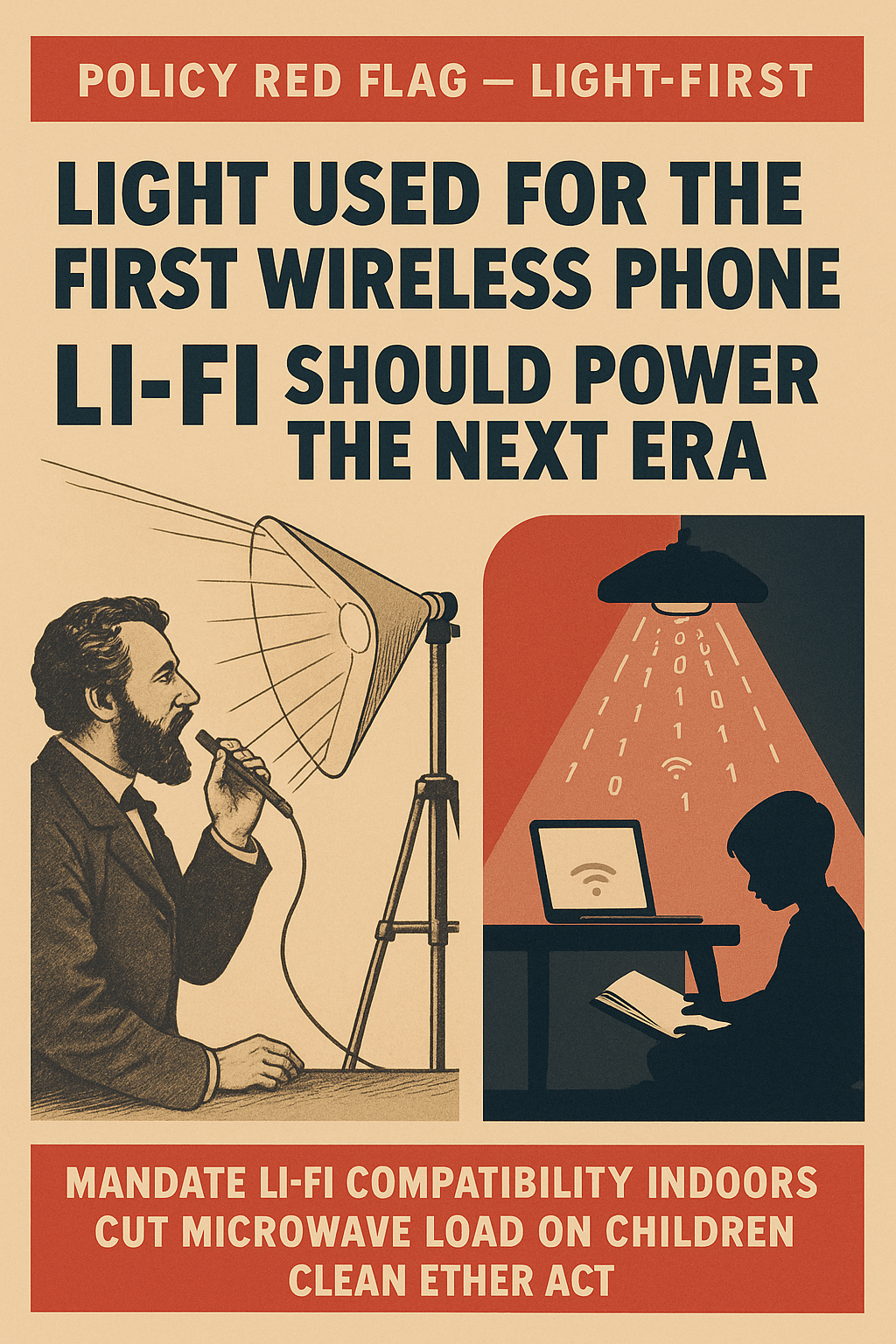
👉Light-First — Li-Fi Compatibility & the Clean Ether Act
👉
⚑
Light-First — Li-Fi Compatibility & the Clean Ether Act
Long before radio towers, the first wireless phone used light. Bell and Tainter’s
Photophone sent voice on a beam of sunlight, and today’s Li-Fi can carry modern data
payloads the same way, using LEDs and photodiodes instead of microwave transmitters. Any claim that
“light isn’t feasible” ignores both history and current engineering: optical wireless already supports
high-throughput, room-scale links with tight spatial confinement, low latency, and strong security.
A Clean Ether Act simply finishes what Bell started: indoors and around children,
sensitive adults, and pregnant women, make light the default carrier and keep RF as the
low-power backup. That means mandating Li-Fi compatibility in phones, tablets, laptops,
access points, and school networks so indoor traffic rides on photons instead of saturating classrooms and
bedrooms with microwaves. With solid-state lighting, mature Li-Fi standards, and even patented
“bio-defense” Li-Fi concepts that add pathogen control, there is no technical excuse left.
The only thing between our kids and the Light-Age is political will.
nnEMFs — Where it starts
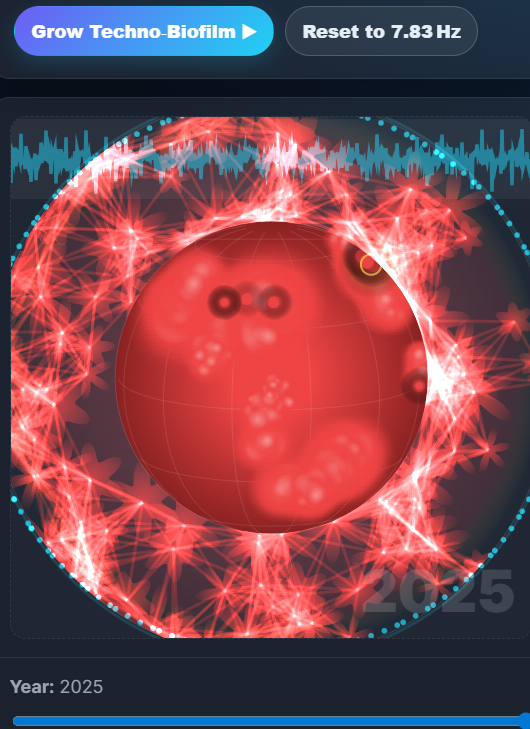
👉Cellular Goldilocks Zone — The Schumann Cavity
What’s inside: An interactive Earth–ionosphere waveguide (Schumann cavity) viewer that lets you watch a technological “biofilm” accumulate over time across the natural EM habitat.
Why it matters: Biology evolved in a quiet, phase‑coherent background (~7.83 Hz). Persistent RF layers add timing noise that can perturb information‑dense bioelectric processes.
Open the Schumann Cavity Viewer
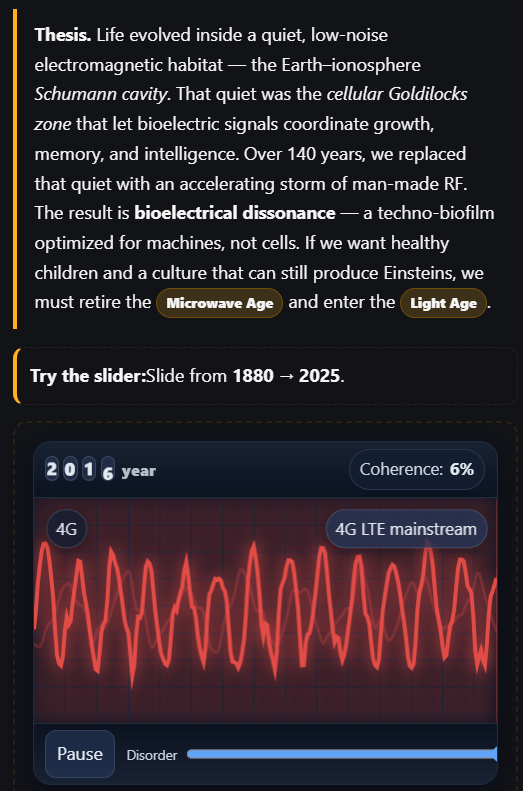
👉The Light Age vs. The Microwave Age
What’s inside: A clear framework for replacing most indoor microwave networking with photonics (Li‑Fi): spatially confined links, high SNR, and better spectral hygiene.
Why it matters: A Light‑first model reduces indoor RF duty cycle at scale while improving security and latency—physics that aligns with how people actually use devices.
Read: Light‑First (Light vs. Microwave Age)
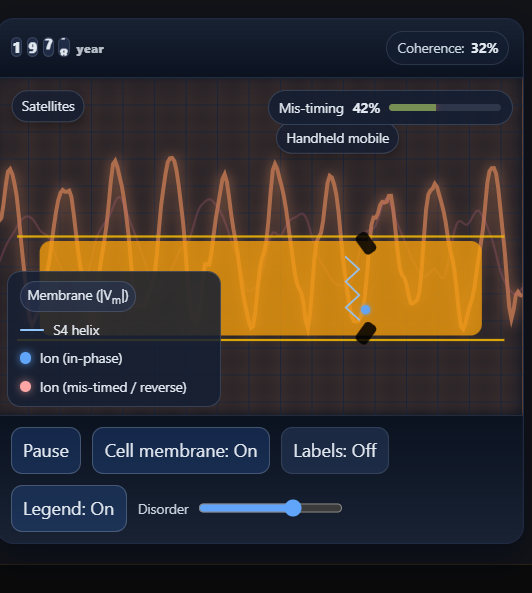
👉S4 Ion Channel — Forced Ion Oscillation
What’s inside: A voltage‑gated ion channel model focusing on the arginine‑rich S4 helix in the voltage‑sensing domain (VSD); complex fields raise the odds of early/late/long openings.
Why it matters: Cells encode information in timing. Sub‑thermal fields can nudge gating charges and shift activation kinetics, altering downstream signaling cascades.
Explore the S4 Ion Channel
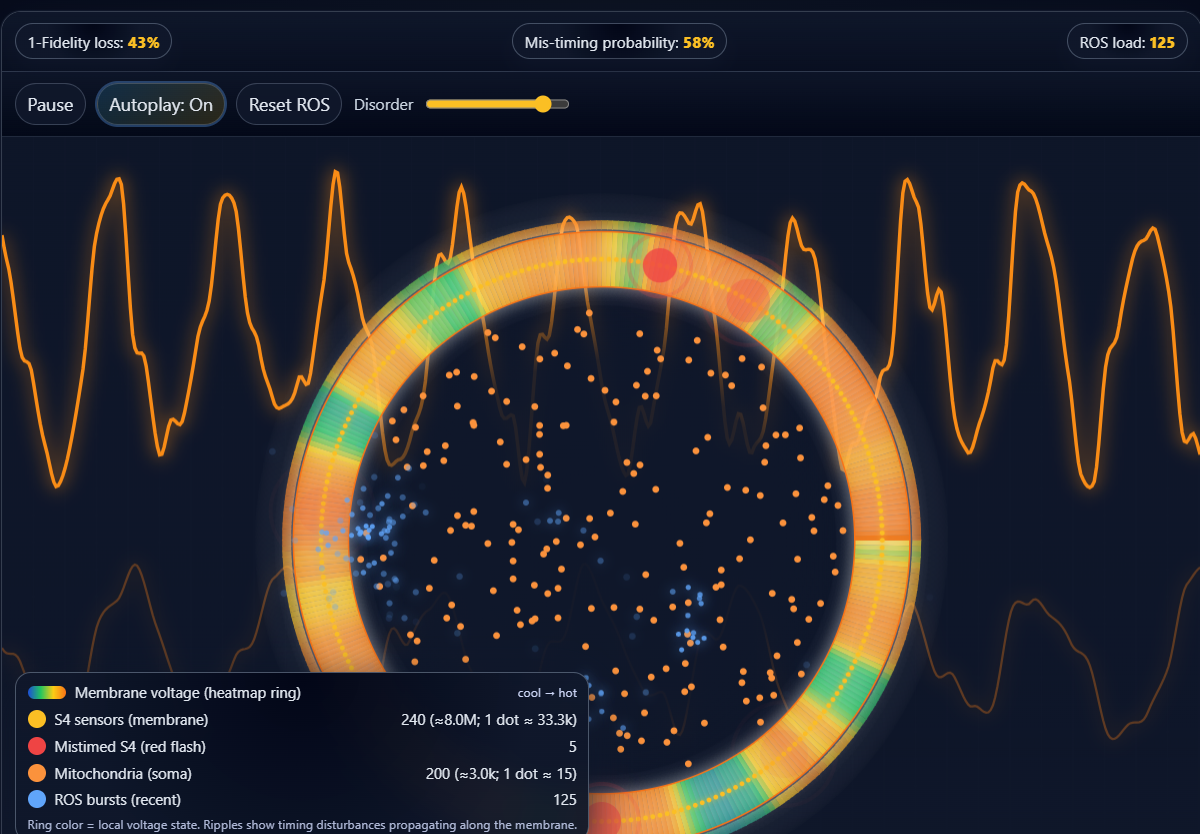
👉Mitochondria + S4 — ROS bursts with mis‑timing
What’s inside: A coupled model: S4 “rim” mis‑timing (red flashes) drives mitochondrial ROS bursts (blue), showing how electrophysiology can spill into redox stress.
Why it matters: Links channel dysrhythmia to energy metabolism and immune tone—bridging bioelectric timing noise → oxidative pressure → program drift.
Open Mitochondria + ROS
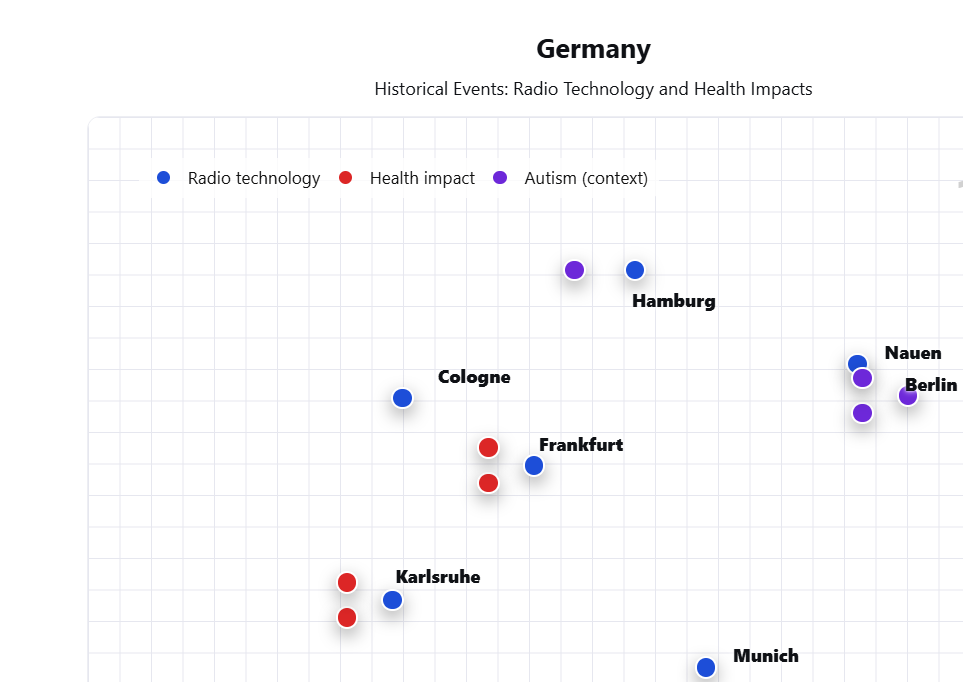
👉 Patient Zero — Non‑Native EMFs (Germany)
What’s inside: A map‑first chronology of German wireless build‑outs against sentinel health milestones during the radio era.
Why it matters: As ERP and site density rise, the latency to recognition shortens. Historical context helps interpret today’s exposure trajectories.
Review Patient Zero (Germany)
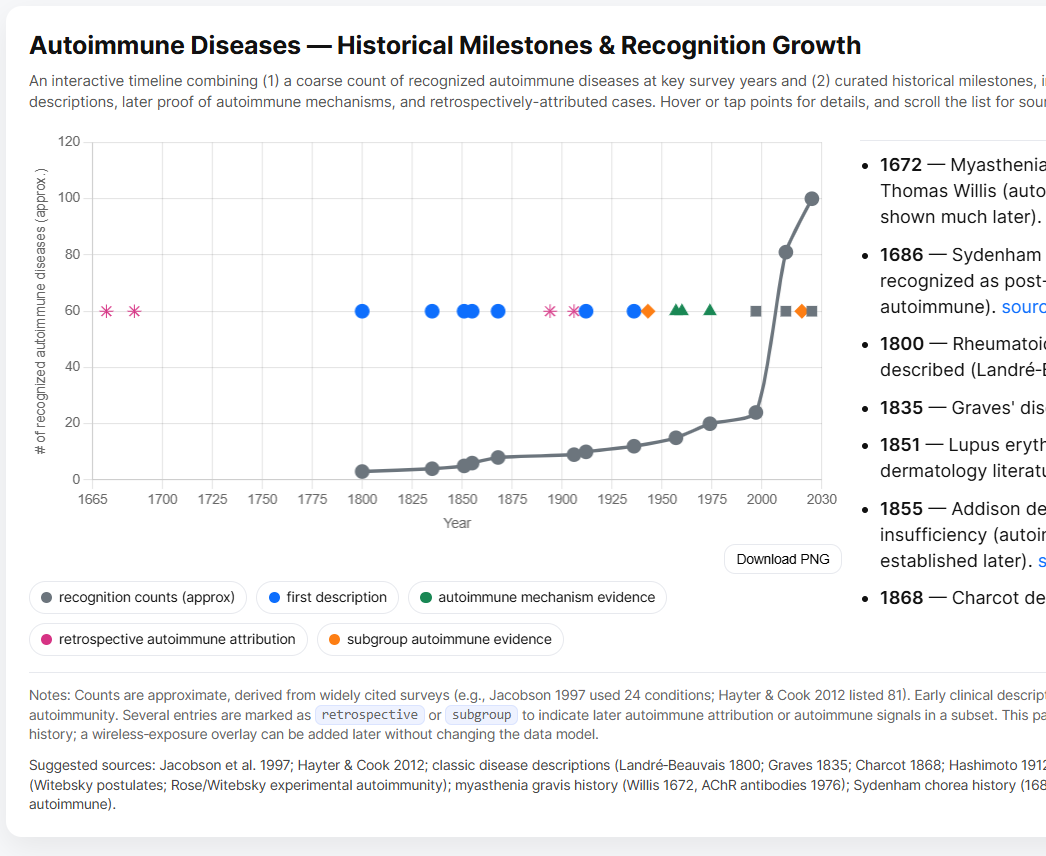
👉Autoimmune Diseases — Milestones & Recognition Growth
What’s inside: A population‑level timeline combining recognition counts with key scientific milestones and retrospective links.
Why it matters: A single visual that situates immune dysregulation trends alongside plausible mechanistic developments—without conflating correlation with causation.
Open the Autoimmune Timeline
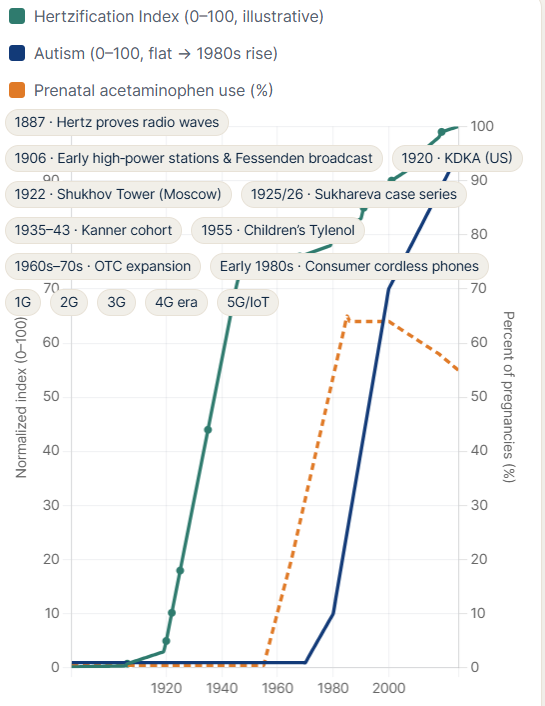
👉Hertzification · Autism · Acetaminophen — 1886–2025
What’s inside: A tri‑curve Chart.js timeline on a common axis: EM habitat change (“Hertzification”), autism recognition, and prenatal acetaminophen adoption, with milestone chips.
Why it matters: Juxtaposition clarifies patterns and gaps. It’s a thinking tool—not a claim of causation.
Compare the Timelines
👉 TruthCase
What’s inside: Primary receipts, exhibits, and a time‑ordered dossier for rapid vetting and citation.
Why it matters: Evidence coherence improves when sources, sequence, and claims are auditable in one place.
Open TruthCase #11 (DE)
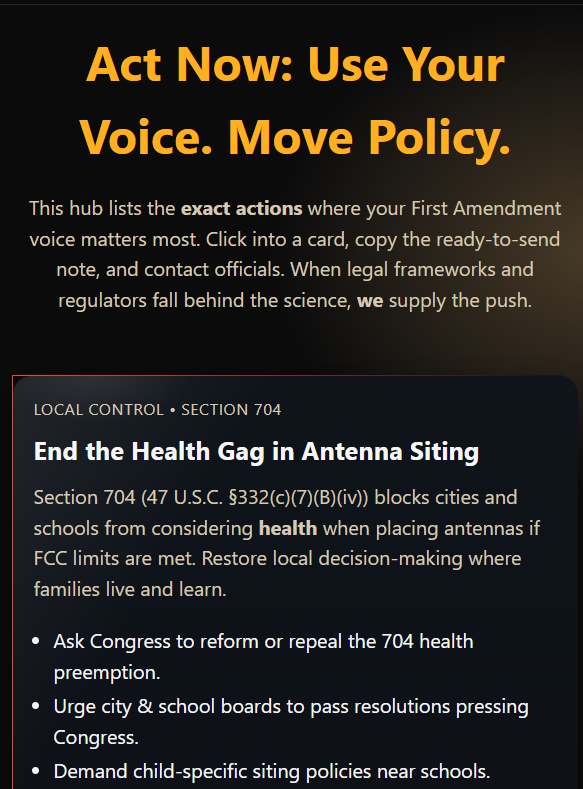
👉 Act Now — Protect Health, Restore Accountability
What’s inside: Four priority actions (Section 704, FCC remand, HHS/PL 90‑602, Li‑Fi‑first) with friction‑free scripts and shareable notes.
Why it matters: Converts evidence into pressure: practical language you can post, email, or hand to staff in minutes.
Visit the Action Hub
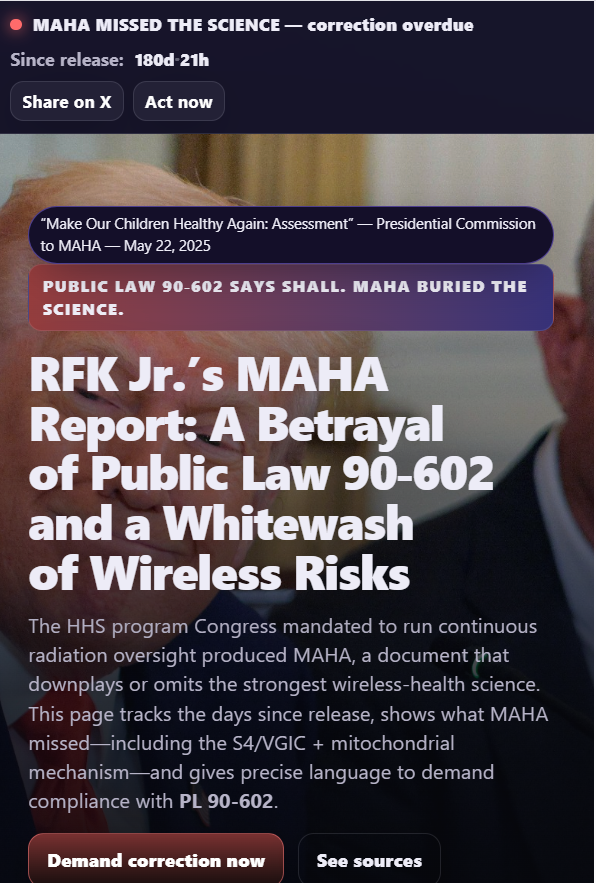
👉 MAHA — Correct the Record & Enforce PL 90‑602
What’s inside: A running day counter, point‑by‑point omissions vs. evidence, explicit statutory duties, and concrete asks to restore the program Congress required.
Why it matters: PL 90‑602 mandates continuous research and public reporting for electronic‑product radiation. MAHA demands compliance and correction.
Open MAHA
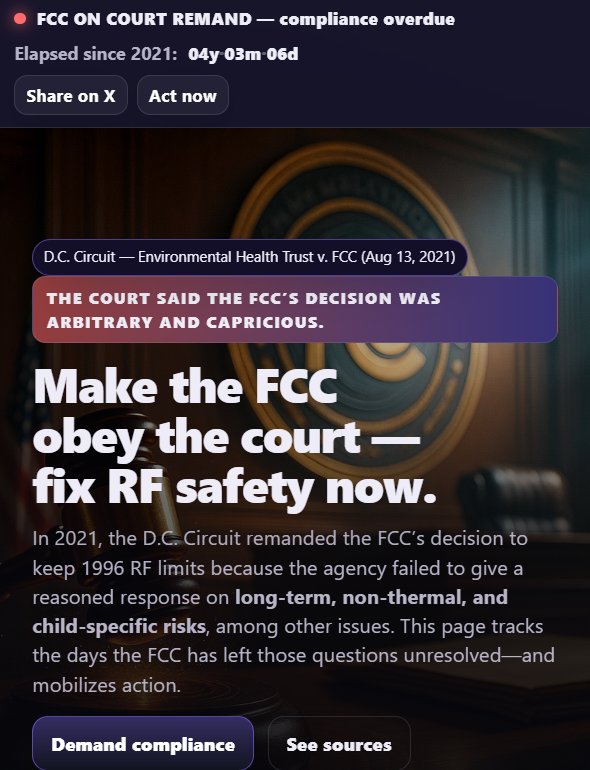
👉 Finish the Court‑Ordered Fix to 1996 RF Limits (FCC Remand)
What’s inside: The remand context, what’s absent from the record (long‑term, child‑specific, non‑thermal, environmental), and what a court‑compliant response must include.
Why it matters: 1996 heat‑only limits don’t reflect modern duty cycles, multi‑band devices, or mechanistic biology—an update is overdue.
Review the FCC Remand
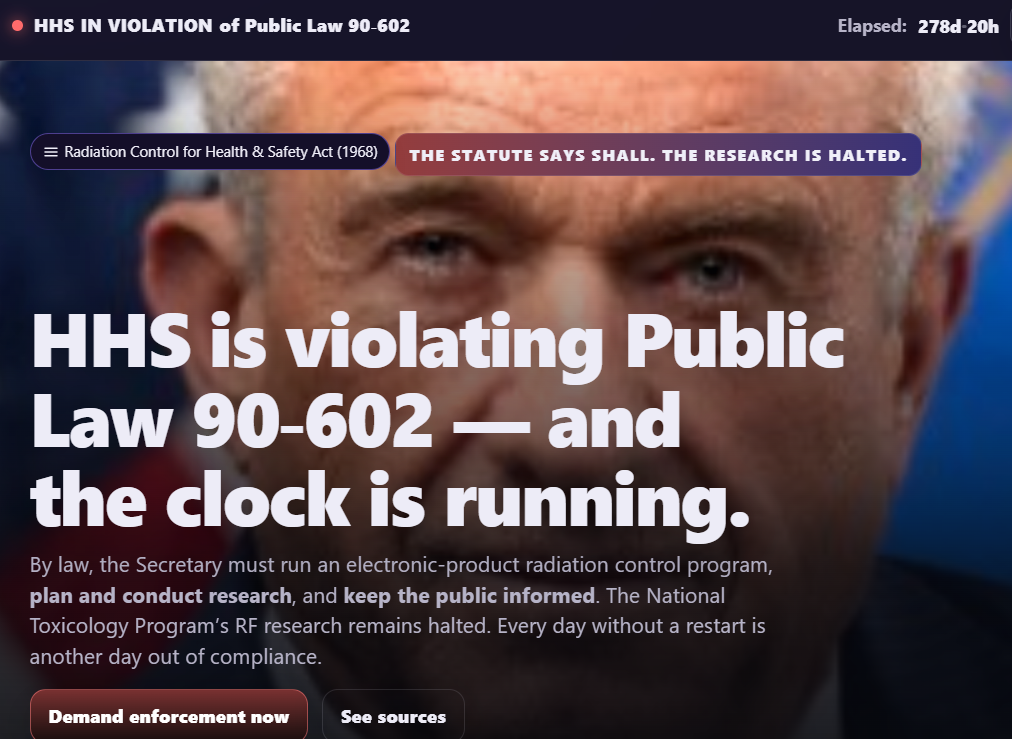
👉 Enforce the Law — Restart NTP Wireless Research (HHS · PL 90‑602)
What’s inside: Statutory duties (21 U.S.C. §§ 360ii, 360kk) and a restart plan for a transparent, continuous wireless bioeffects program with public reporting.
Why it matters: The law’s “shall” language is not optional; families deserve independent research and clear guidance.
See HHS · PL 90‑602 Plan
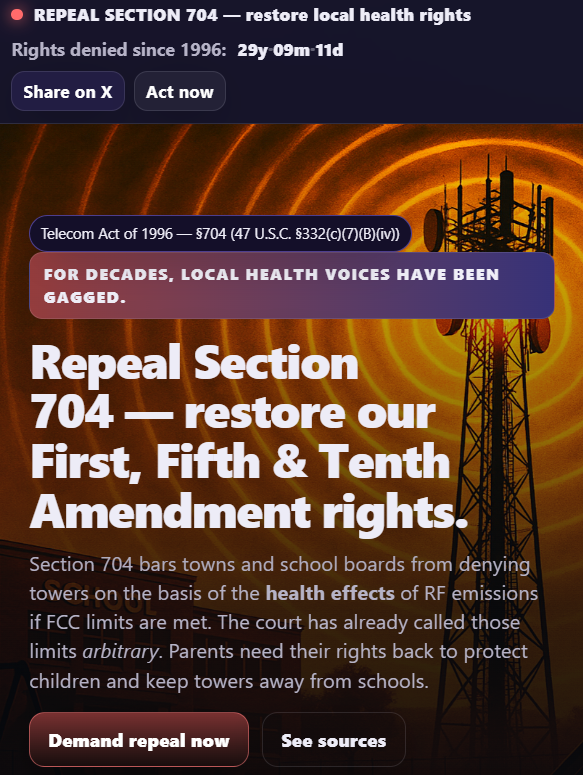
👉 End the Health Gag in Antenna Siting (Section 704)
What’s inside: How Section 704 preempts local consideration of health in siting decisions—and a practical path to reform.
Why it matters: Restores community authority and truthful public‑record discussion, especially around schools and homes.
Understand & Fix §704
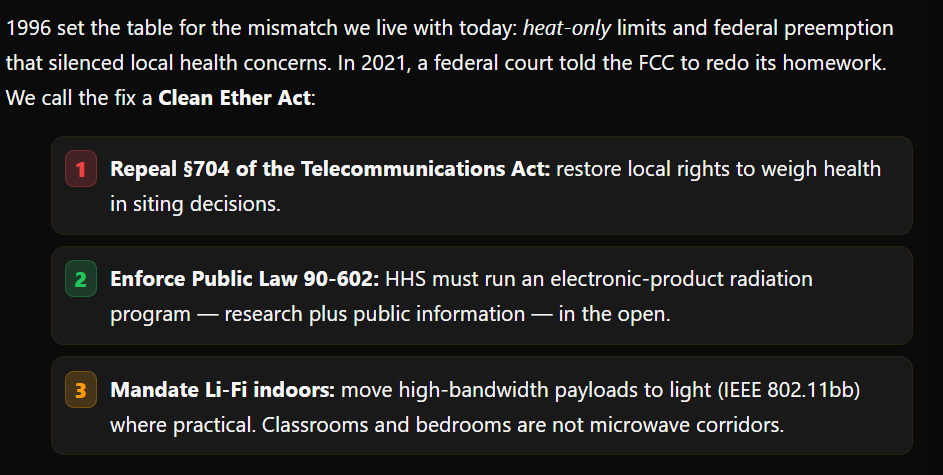
👉 TruthCases — Roadmap
What’s inside: The complete set of active TruthCases with short briefs and deep‑link navigation to each dossier.
Why it matters: A single hub for investigators, counsel, and press to get oriented quickly and drill down efficiently.
Browse the TruthCases Roadmap
Cell Phone SAR Levels
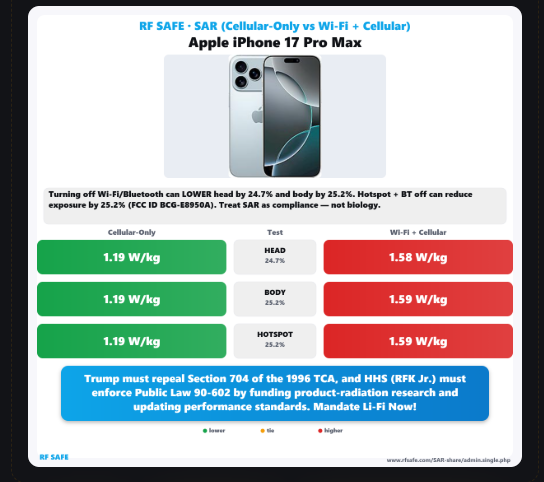
SAR — Cellular-Only vs Simultaneous (Wi-Fi + Cellular)
Compare compliance results for your exact phone. Use the brand → model dropdown to load FCC SAR data and see how values change when a device is tested with only the cellular uplink active (\"Cellular‑Only\") versus simultaneous transmission (\"Wi‑Fi + Cellular\"). The tool presents head, body, and hotspot positions side‑by‑side and computes the percent difference so you can quantify how multi‑radio operation can raise reported SAR in those test scenarios.
What this shows: a compliance‑metric comparison between single‑transmitter and multi‑transmitter test conditions (useful for understanding settings like Wi‑Fi/BT/hotspot during use). Treat SAR as a regulatory metric—helpful for relative changes—not biology.
Open the SAR comparison tool.
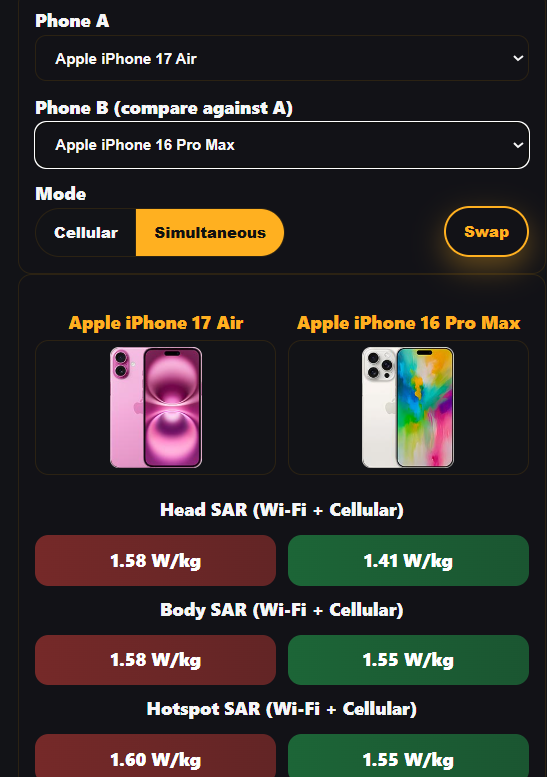
📴 Compare two phones side‑by‑side
What it does: Compare two phones side‑by‑side across six test positions — Head, Body, and Hotspot in two radio modes: Cellular‑Only (Wi‑Fi/Bluetooth off) and Simultaneous (cellular + Wi‑Fi/BT). See absolute SAR and the percent change between modes, plus a quick, share‑ready image of the results.
How to use: Use the Phone A and Phone B selectors to choose models, then switch between Cellular‑Only and Simultaneous to compare all six positions. Save or share the generated image when you’re done.
Open the two‑phone SAR comparison
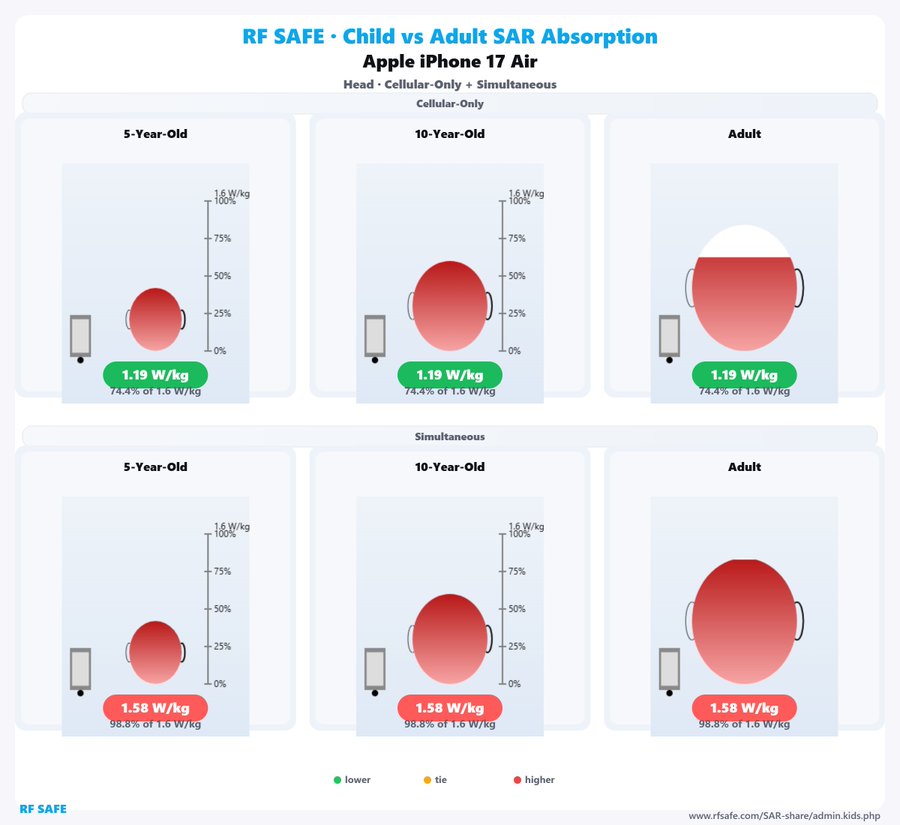
🤌 Kids vs. Adults — SAR by Age (Head/Body)
What it shows: An age‑aware SAR comparison that illustrates how a 5‑year‑old, 10‑year‑old, and adult can absorb different amounts of RF energy under today’s compliance setup.
Why it matters: The legal SAR limit and test phantoms were established for adults; children were not considered in setting the reference body models. This tool makes that gap visible by plotting the maximum SAR for each age group.
How to use: Choose your device, pick Head or Body, then toggle between 5‑year‑old, 10‑year‑old, and Adult to compare the peak values side‑by‑side.
Open the Kids vs. Adults SAR comparison
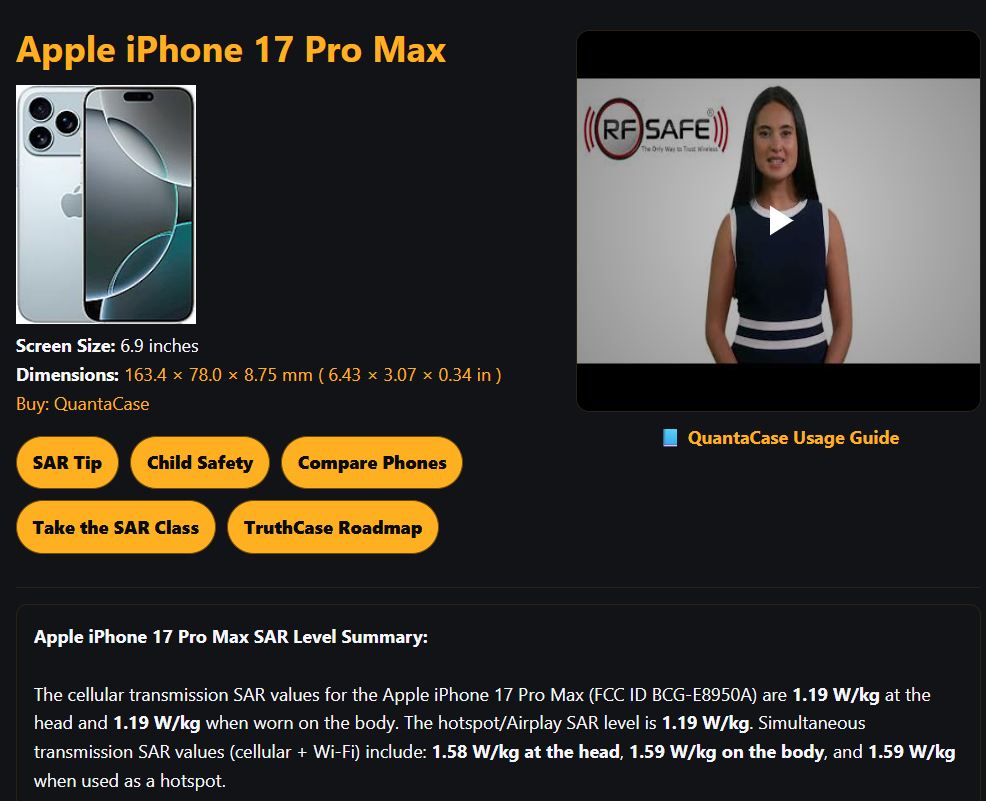
🧾Full Specs + SAR Ranking
All the essentials in one place. This full specs page lists the iPhone 17 Pro Max’s core hardware and radios (display, cameras, bands, battery, chipset), plus official FCC ID numbers and a complete SAR panel (Head, Body, Hotspot). Each SAR value includes a “check ranking” link so you can see where that number sits among other phones, and a visible SAR rank summary for quick context.
How to use: Scroll to the SAR section to review values and click check ranking beside any metric. Use the FCC ID links if you want to open filings and lab documents for deeper verification. The rest of the page covers all primary spec groups so you can vet the device end‑to‑end.
Open full specs + SAR ranking
.png)
SAR — Shareable GIF (Head/Body)
What it does: Generates a lightweight, looped GIF that summarizes the selected phone’s SAR for a single test region—Head or Body—so you can quickly share the result in posts, chats, or reports. The image reflects compliance test regions used for SAR (specific absorption rate).
How to use: This link opens pre‑loaded for Apple iPhone 17 and the Body region. Switch between Head and Body as needed and select a different model if you want to generate a new GIF. Save/download the GIF and share anywhere static images are preferred.
Open the SAR shareable GIF tool
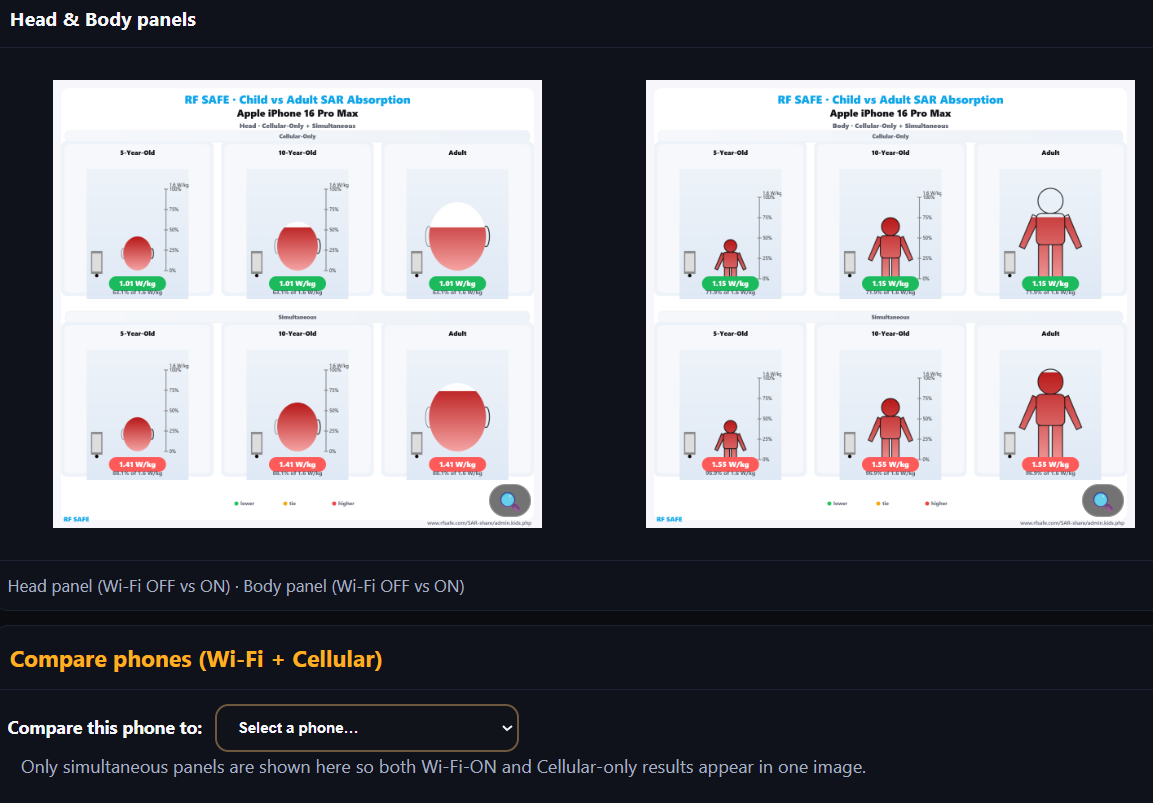
📢 Phone SAR Image Library — Device Panels & Shareables
What it includes: A model‑specific gallery of real SAR panels that compare Cellular‑Only vs Simultaneous (cellular + Wi‑Fi/BT), age‑aware views for 5‑year‑old, 10‑year‑old, and Adult (Head/Body), and a bottom‑of‑page tool to compare this phone with any other phone and auto‑generate an easy, shareable image.
Why it helps: Sharing actual device numbers—and the gap between adult‑based safety setups and children—makes the topic tangible and easy to discuss.
How to use: Scroll the gallery, switch Head/Body, and toggle age groups. Use the compare tool at the bottom to pick another phone and instantly create a graphic you can long‑press/save and share.
Open the Phone SAR Image Library
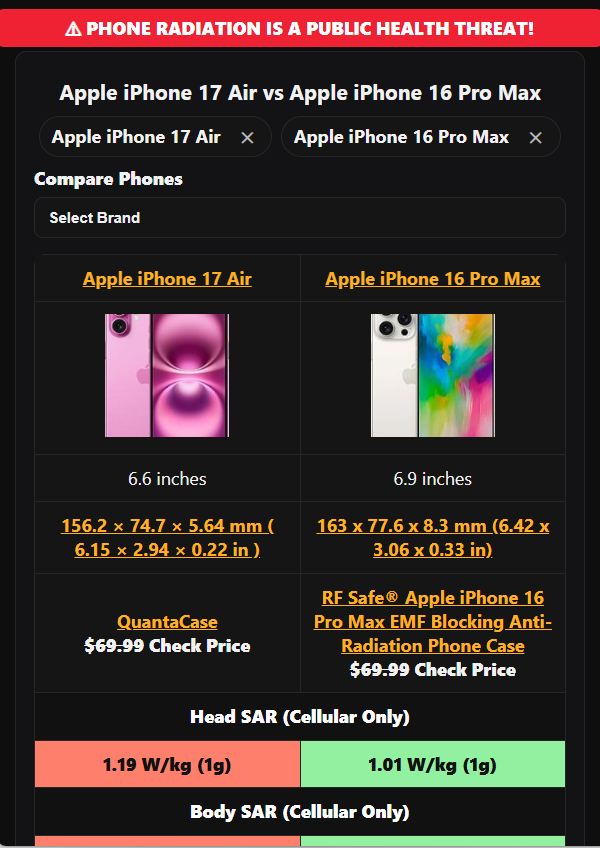
👉Compare Phones — Important Specs First (+49 More)
What it does: Start with the most critical specs — including safety‑relevant items — in a fast, side‑by‑side view. This link opens with two popular phones preselected, and you can add or remove devices at any time.
How many you can compare: Up to 4 devices on large screens (desktop/laptop) and up to 2 on small screens (phones). When you’re ready for the full matrix, switch to “Compare 49 more specs” to expand beyond the Important‑First panel.
How to use: Click Add device to search any model, then review the Important‑First column set. Use the button to expand and compare all specs side‑by‑side dynamically for deeper evaluation.
Open the Important‑First phone comparison
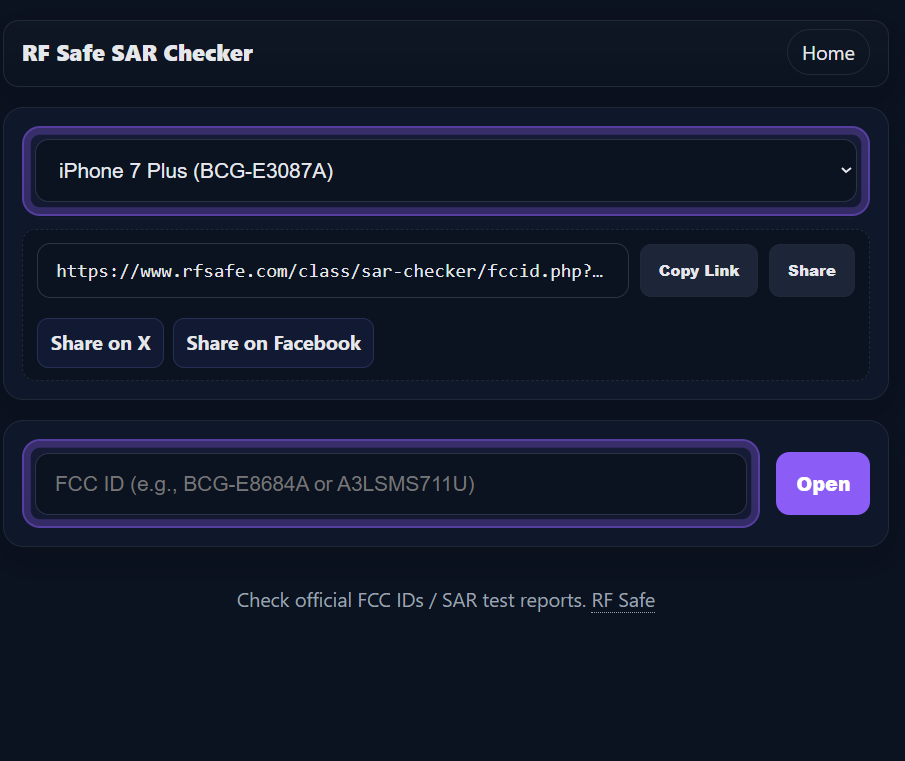
RF Safe SAR Checker — FCC ID → SAR Reports (Instant Lookup)
What it does: The fastest way to go from a phone model to its official FCC ID and directly open the FCC’s SAR filings. Pick a device from the dropdown or paste an FCC ID to jump straight to the OET/SAR report set for that model. You can also copy a shareable link for your selection.
Why it matters: Seeing the actual FCC reports (not just marketing claims) lets you verify test setups, peak values, and conditions used for compliance.
Pro tip: In the FCC filings list, the executive summary is usually inside the “SAR Test Report — Test 0” PDF under the Regulatory/Compliance documents.
Open the RF Safe SAR Checker
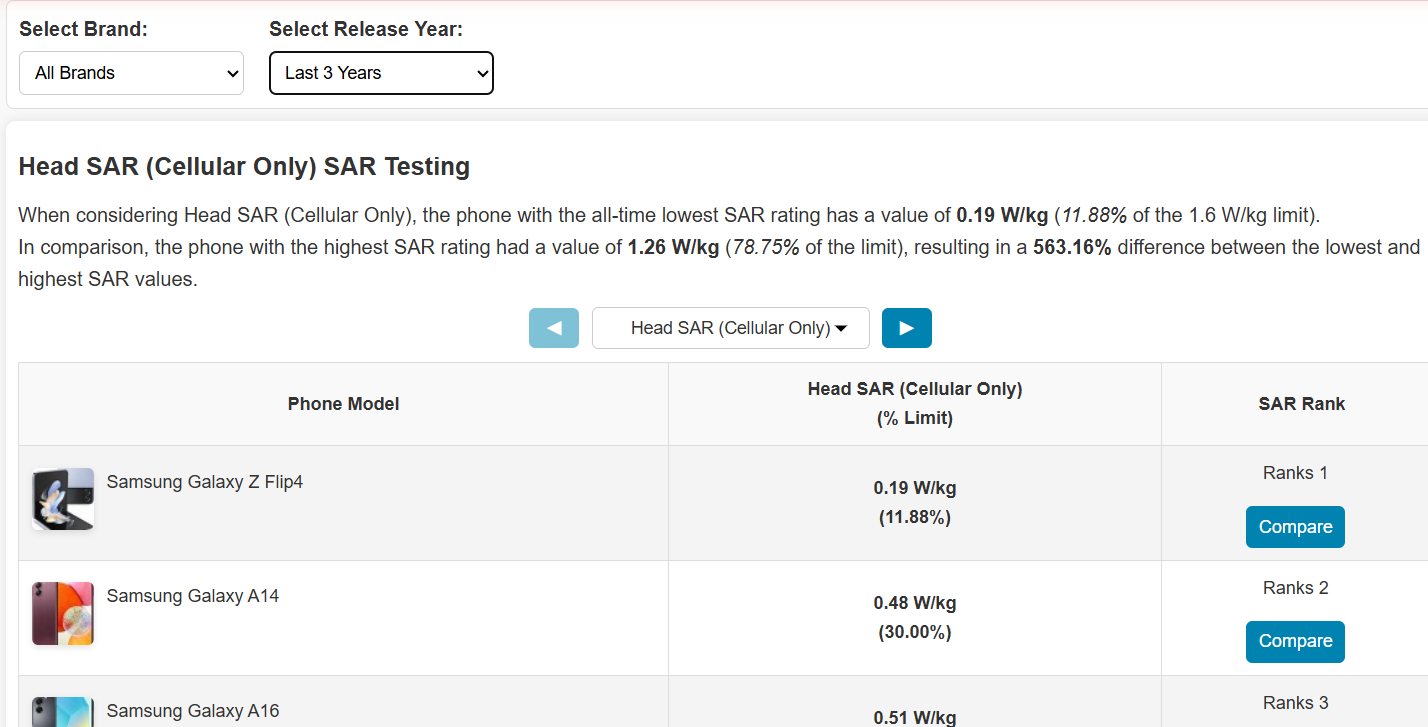
All Phones — Global SAR Rankings (6 Tests)
What it is: A comprehensive, searchable ranking of 100+ currently active phones across all six SAR test positions — Head, Body, Hotspot in both Cellular‑Only and Simultaneous (cellular + Wi‑Fi/BT) modes.
How to use: Use the search/filter and sorting controls to find a model quickly. Switch tabs to view each test’s leaderboard — each tab shows one test (e.g., Head · Cellular‑Only, Body · Simultaneous, etc.). Review all six tabs for the full picture.
Why it helps: Side‑by‑side rankings make it easy to benchmark devices by the exact compliance position you care about, revealing differences that a single headline number can hide.
Open the All‑Phones SAR Rankings
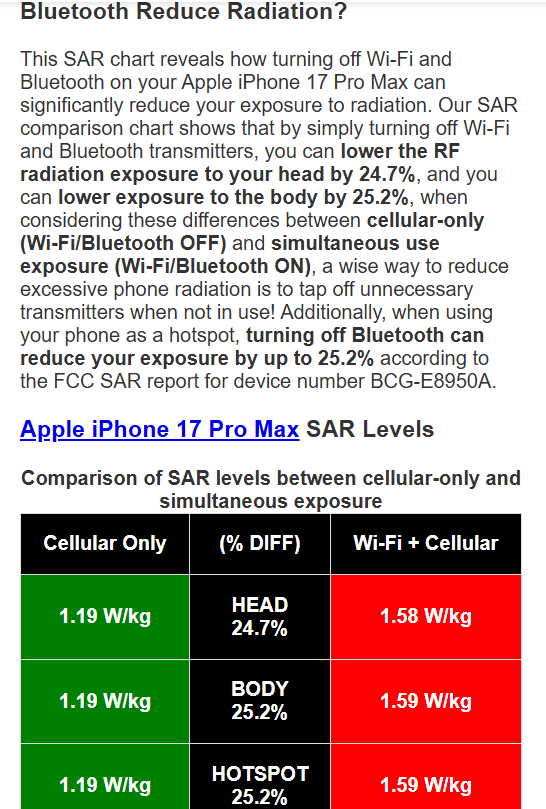
W/WO Wi‑Fi — Cellular‑Only vs Simultaneous (SAR Comparison)
What it does: Quantifies how much RF you can remove by turning off Wi‑Fi and Bluetooth. Pick your brand and model to see SAR side‑by‑side for Cellular‑Only vs Simultaneous (cellular + Wi‑Fi/BT), with clear percent‑difference indicators for Head, Body, and Hotspot test positions.
Why it matters: Simultaneous radios add duty‑cycle and path‑loss effects that can raise measured SAR. This tool shows the delta so you can make a practical, settings‑level change that reduces exposure in everyday use.
How to use: Select Manufacturer → Model in the dropdowns. Review the bars for the three test regions and note the percent change when Wi‑Fi/BT are enabled versus disabled. Use this to decide when to keep extras off (e.g., at night, in pocket, or when not needed).
Open the W/WO Wi‑Fi SAR Comparison Tool
.jpg)
QuantaCase™ — Physics‑First EMF Case
What it is: QuantaCase™ is an ultra‑thin, antenna‑aware folio that uses directional shielding between you and the phone. It is free of metal loops, magnets, and steel plates and features a shielded speaker opening for the 5G era—engineering choices that avoid antenna detuning and the transmit‑power increases that can come with it.
Why it matters: Gimmicky “anti‑radiation” designs can obstruct radios and push phones to work harder. QuantaCase™ follows the physics: keep radios efficient, place the shield on the user side, and stay thin near antenna zones. Many models also include RFID‑blocking storage for cards.
How to use: For calls, flip the cover toward your head. For carry, place the shielded cover toward your body. Turn off radios you don’t need (Wi‑Fi/Bluetooth/Hotspot) to cut duty cycle in everyday use.
Learn more about QuantaCase™
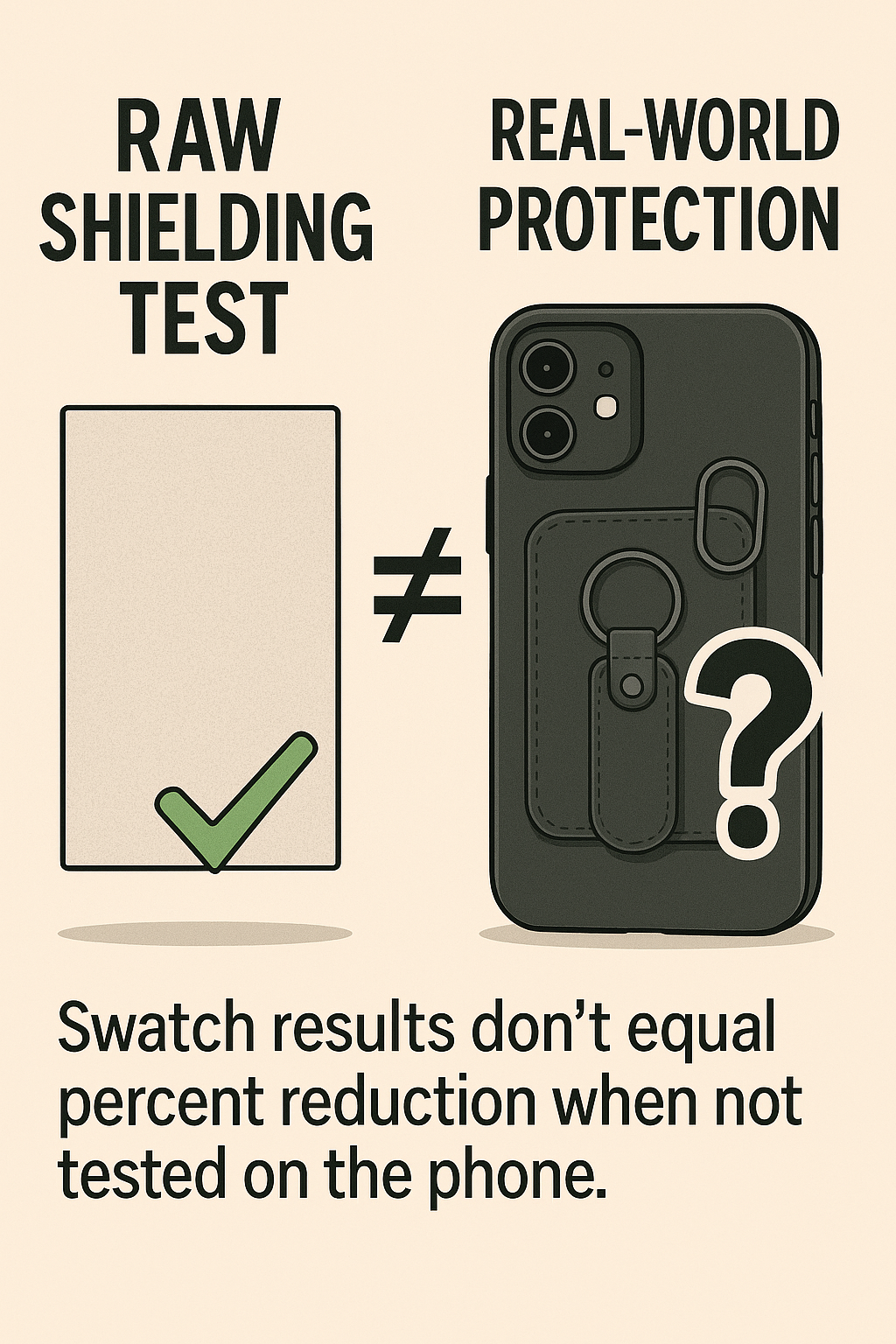
The Problem with “99% Protection” Cases — Read This First
Why this matters: Those big “99% blocking” claims almost always come from
lab swatch tests—a flat coupon of material in free space. That number says nothing about how a
finished case on a real phone behaves next to your head or body. In practice, add‑on magnets,
steel plates, and metal loops can detune antennas (poorer match / higher VSWR), reduce
radiation efficiency, distort the pattern in the near‑field, and trigger the phone’s
power‑control to transmit harder—sometimes yielding more exposure, not less.
What to look for instead: Physics‑first design. Keep radios efficient (no magnets/loops/plates),
use directional shielding between you and the phone, stay thin near antenna zones, and judge any
product by in‑device results (with the phone and case tested together), not fabric slogans.
The article below explains the engineering and the consumer pitfalls in plain language.
Read: Why “99% Protection” Case Claims Mislead — and What Actually Works
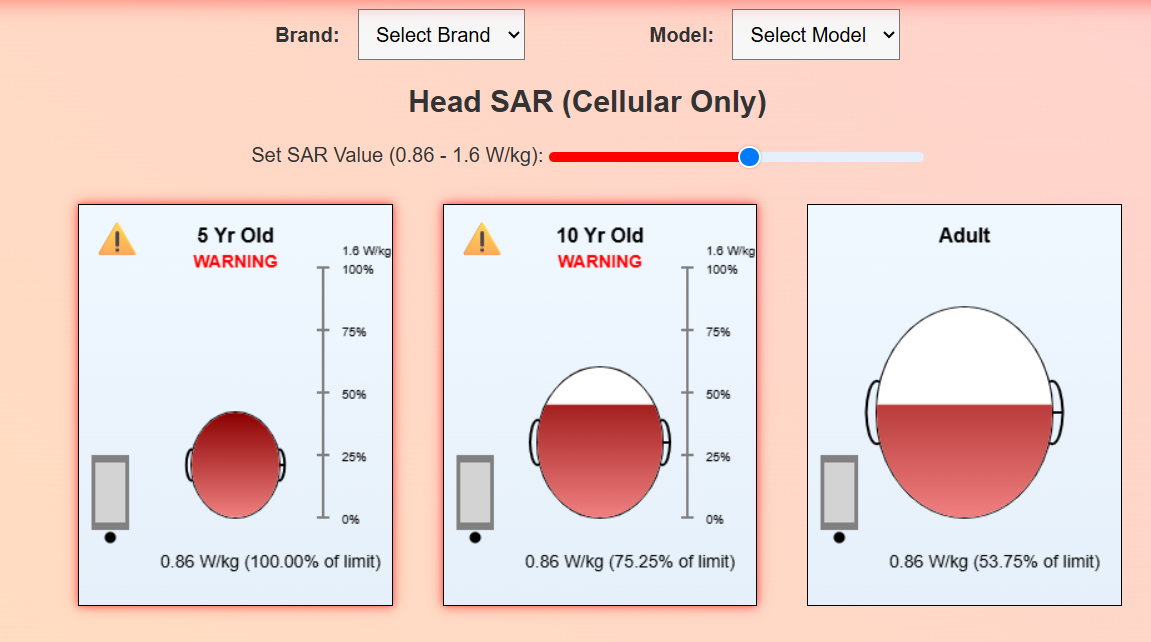
Kids vs. Adults — See How Phone SAR Changes With Age
Children weren’t considered when today’s SAR limits were set. This tool lets you pick your
phone (brand + model) and visualize the same device’s SAR in three anatomies: a 5‑year‑old, a
10‑year‑old, and an adult. Because younger heads are smaller, closer to the radiator, and have
different tissue properties, a “legal” adult value can map to higher absorbed dose patterns
in children.
Use the Head / Body toggle to switch regions and compare how depth of penetration and peak
hot‑spots shift with age. Then flip to Simultaneous (Wi‑Fi + Cellular) to see how multi‑radio
operation changes the picture versus Cellular‑only.
Open the Child vs Adult SAR visualizer for your phone
Educational illustration of absorbed‑energy patterns; treat SAR as compliance, not biology.